
Design & Feature Update, Part 1: six KyuubiSoft mods rebuilt
This is the first part of a larger update. Six KyuubiSoft mods have been rebuilt: every window has a new design, and each mod gets new features and a full round of fixes on top. The update releases at the end of this week. More mods will follow in the next parts, starting with the Questbook previewed at the end of this post.
The new design is called Goldfiligran. It takes the slate tones of Hytale’s own menus, uses 45° corners instead of rounded ones, and saves gold for the things that matter: the title, your selection, the main button and important values. Rarity is a thin ring with a small gem, and every window shares the same buttons, tabs and item slots. The look comes from a shared UI kit inside every mod, so there is nothing extra to install and every mod still works on its own.
Companions (Pets) 1.11
Section titled “Companions (Pets) 1.11”
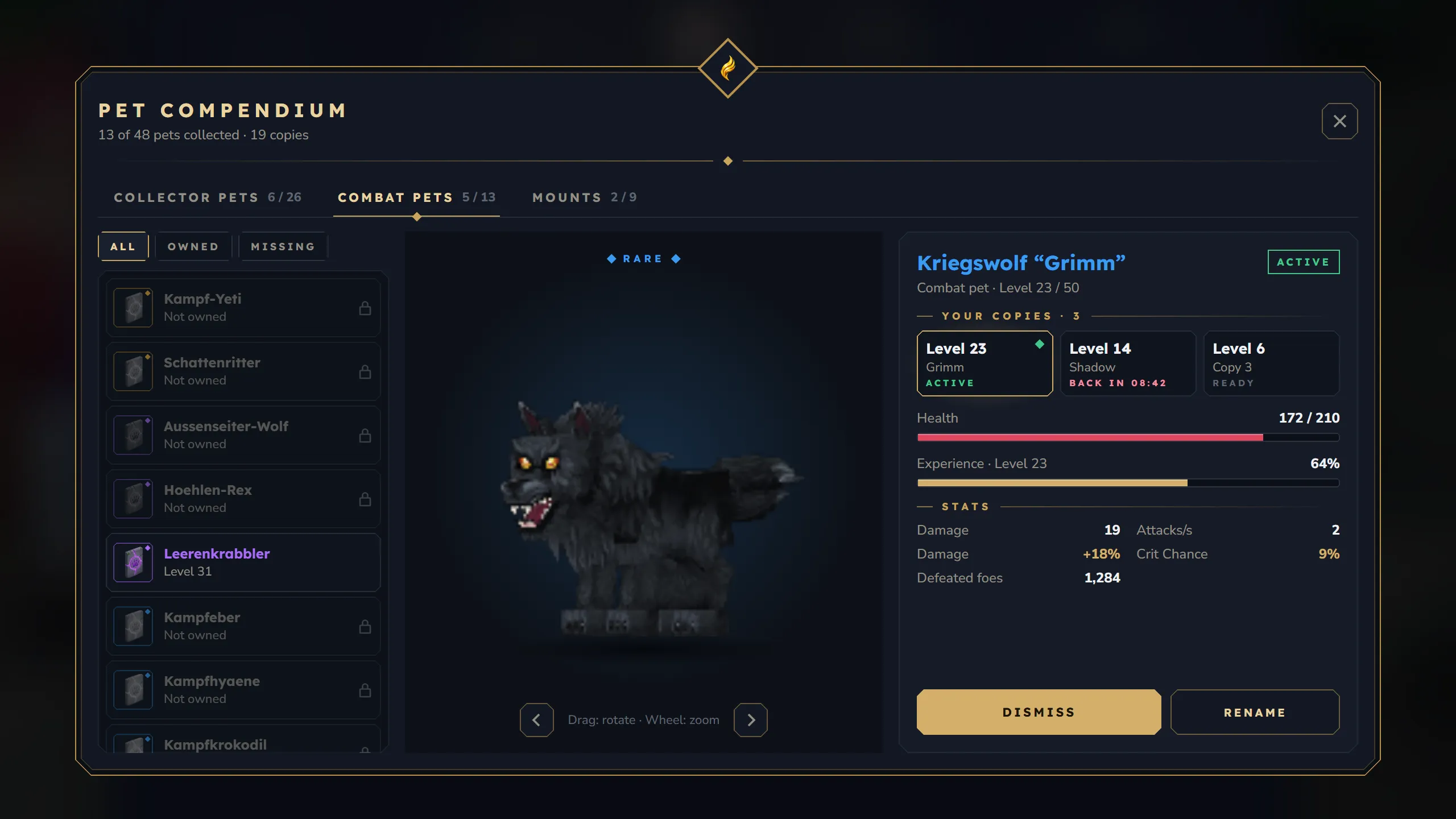
Design
- The Pet Compendium (
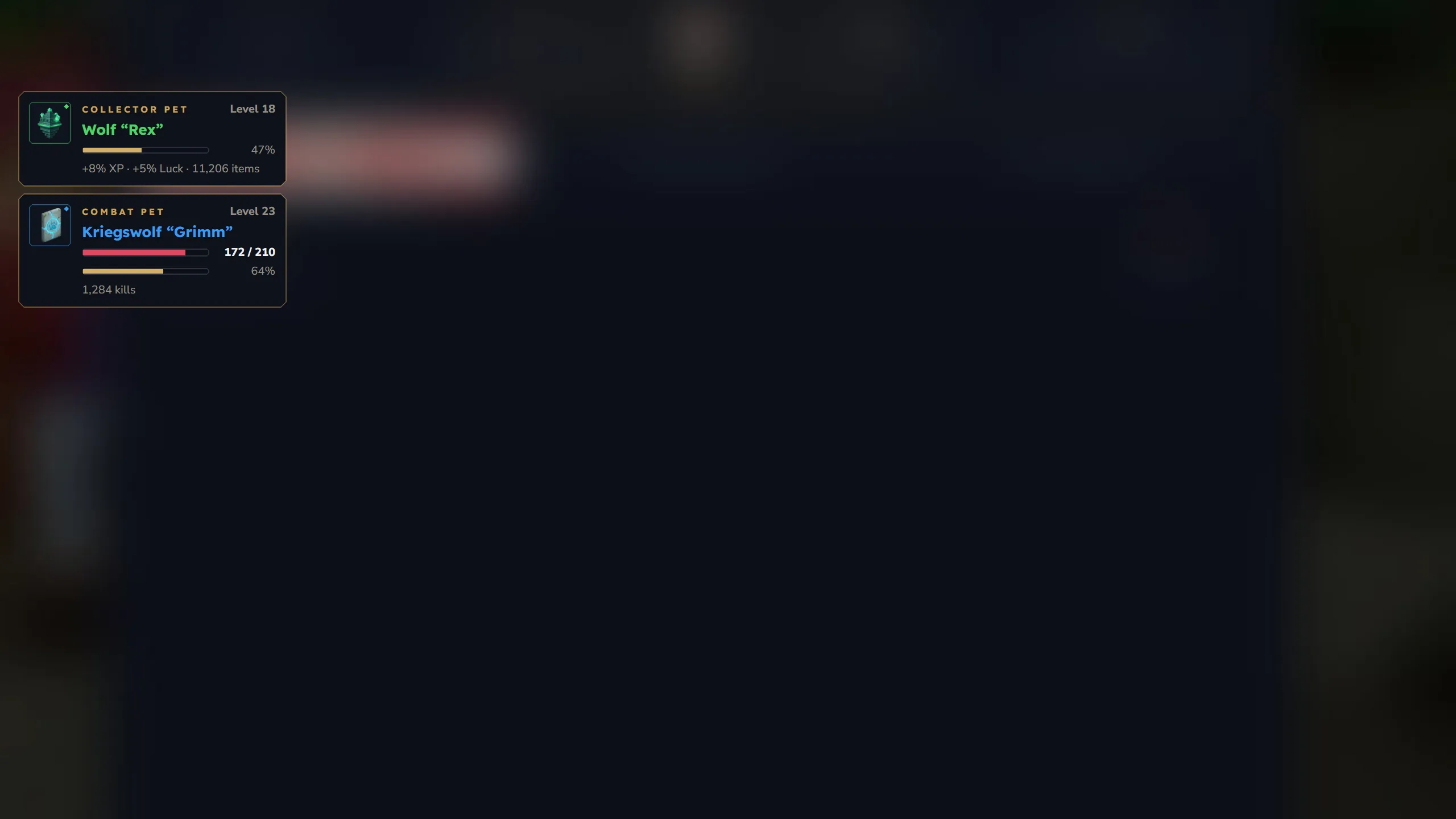
/kspet) lists every pet with its rarity, your copies and their stats, next to a live 3D preview of the model. - A new pet HUD in the top left shows your collector and combat pet, including a recovery countdown after a defeat.
New features
- An admin window (
/kspetadmin) to create pets with exact stats, manage the loot-luck blacklist and look after every player’s pets. - Death protection now also works in worlds that drop all items on death, with or without Graveyard.
- Removing a pet as an admin really removes it, wherever its item is.
- New options for server owners: a global pet limit and level-ups that roll only combat stats (both off by default).
Bank 2.6
Section titled “Bank 2.6”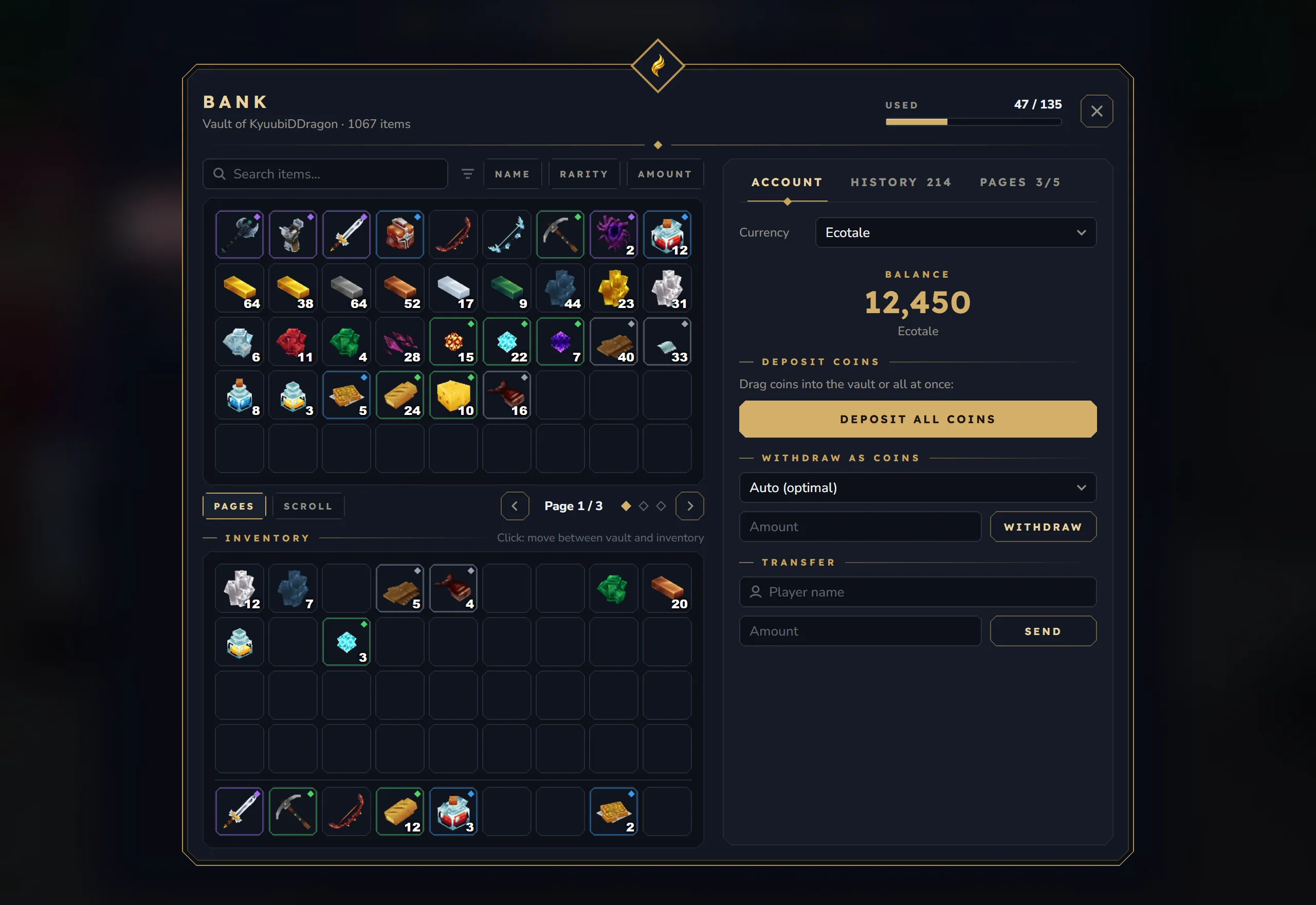
Design
- Vault, storage and hotbar as native item grids in the new look, with sorting and a pager.
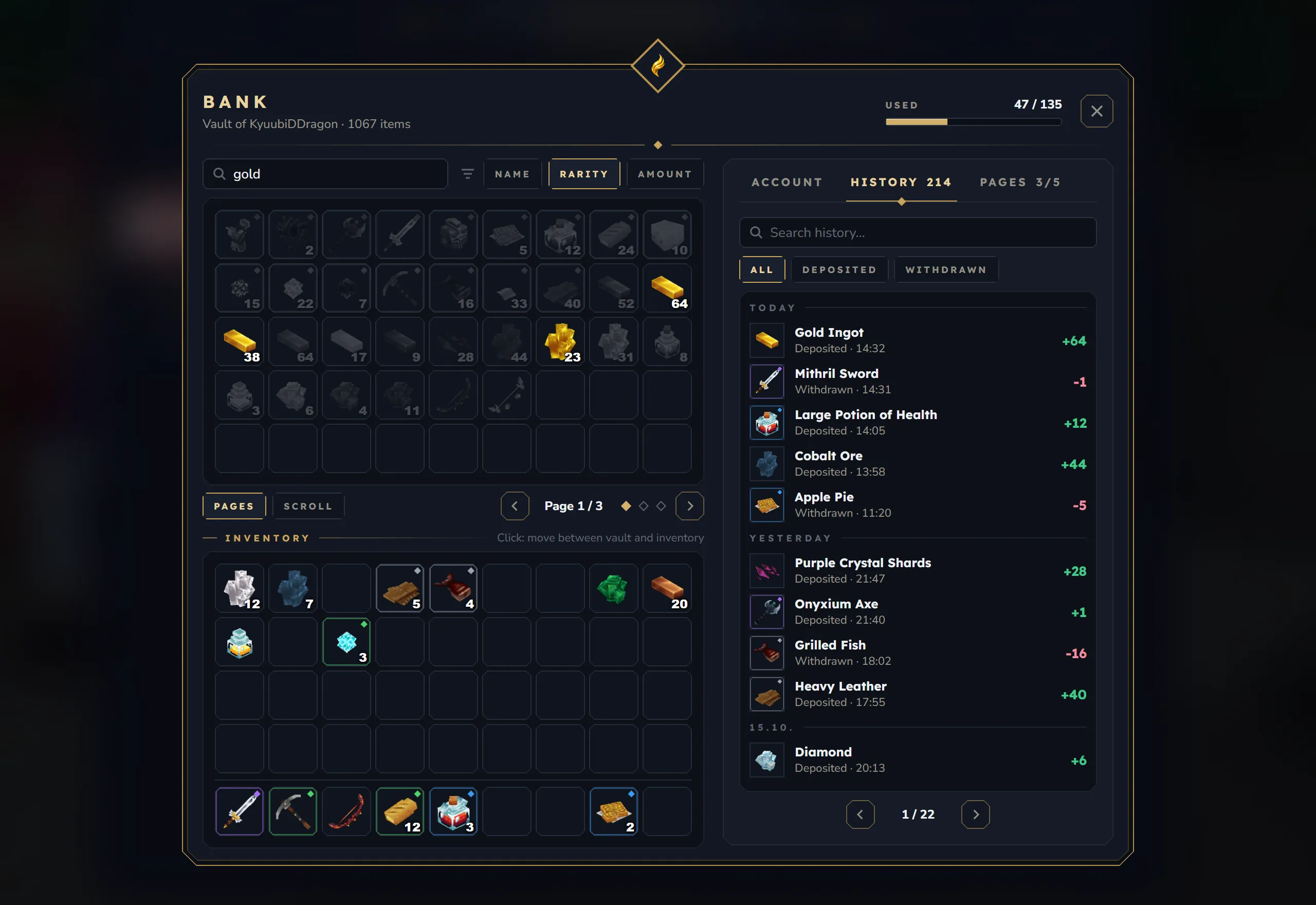
- A side panel with your account, a History tab grouped by day and a Pages tab.
New features
- The search finds item names in your game language and in the language you picked with
/kslang, not only item IDs. - Permissions for money actions work: buying pages, transfers, withdrawing and depositing coins can each be limited to a rank.
- Admins can switch page purchases off, and set how many history entries players see.
- Items from a mod that was removed stay safe in the bank and come back when the mod returns.
- The bank works without KyuubiSoft Core, and a new admin panel covers all settings.
Season Pass 2.0
Section titled “Season Pass 2.0”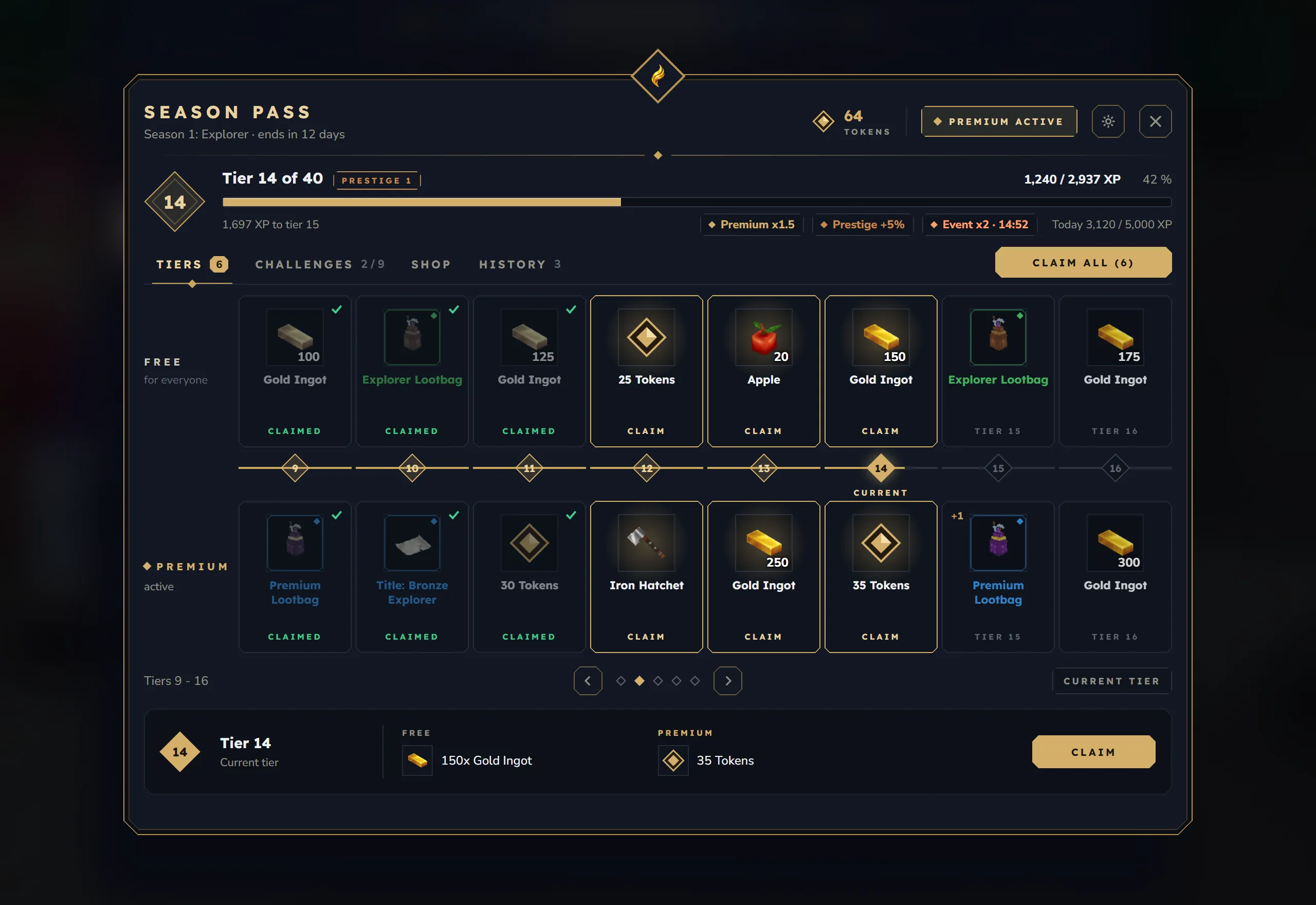
Design
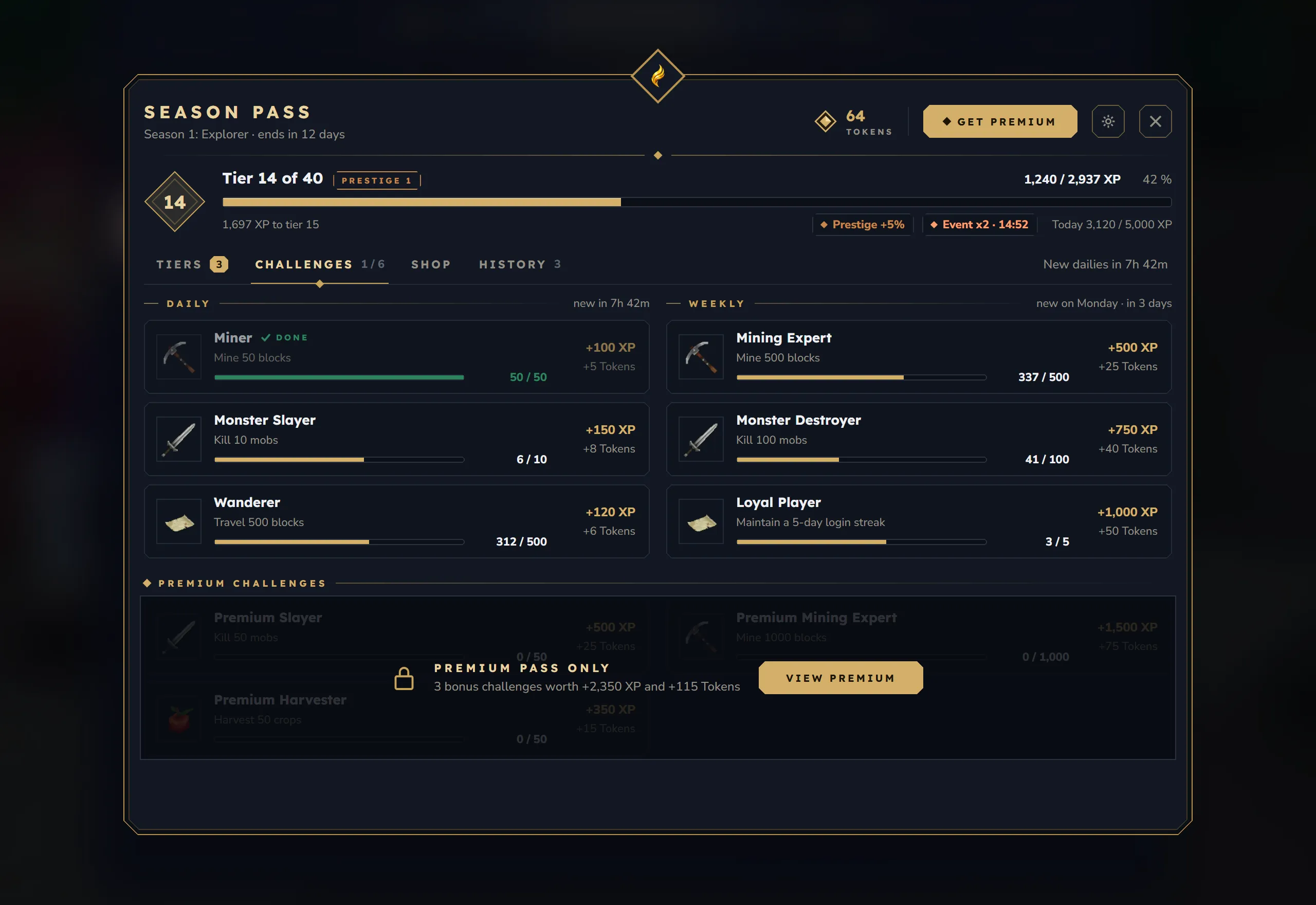
- The pass is now a book with four tabs: the reward track, challenges, the token shop and your history.
- Premium, settings and prestige open as windows inside the book, and a tracker HUD shows tier-ups and finished challenges.
New features
- Quests and achievements give pass XP when KyuubiSoft Quests or Achievements is installed.
- No more lost rewards at the end of a season: unclaimed rewards wait until you have room, and players who were offline get them on their next login.
- The daily XP limit resets at midnight even for players who stay online.
- Server owners can pause the pass, hide the tracker HUD and set the time zone for resets.
Lootbags 2.0
Section titled “Lootbags 2.0”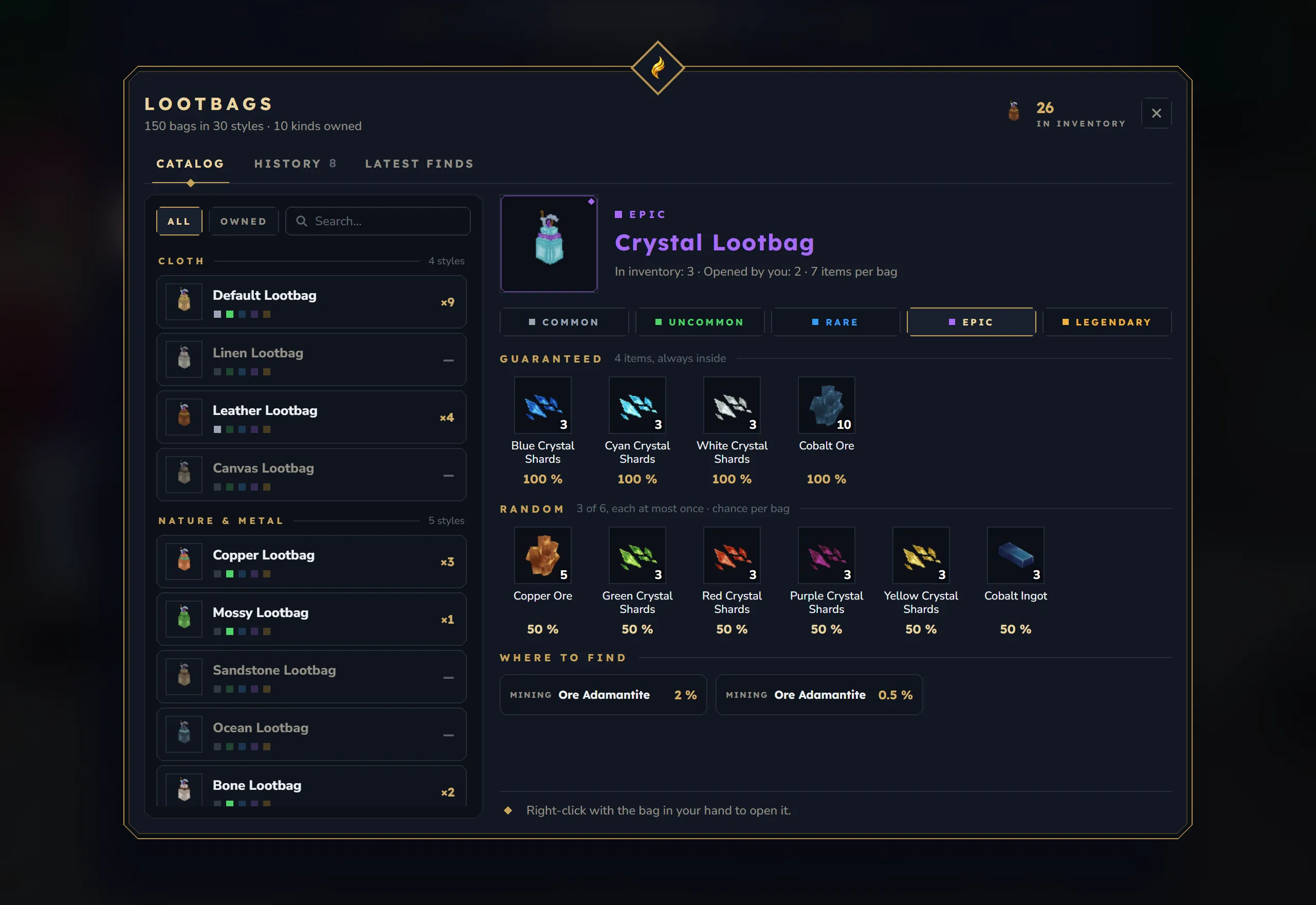
Design
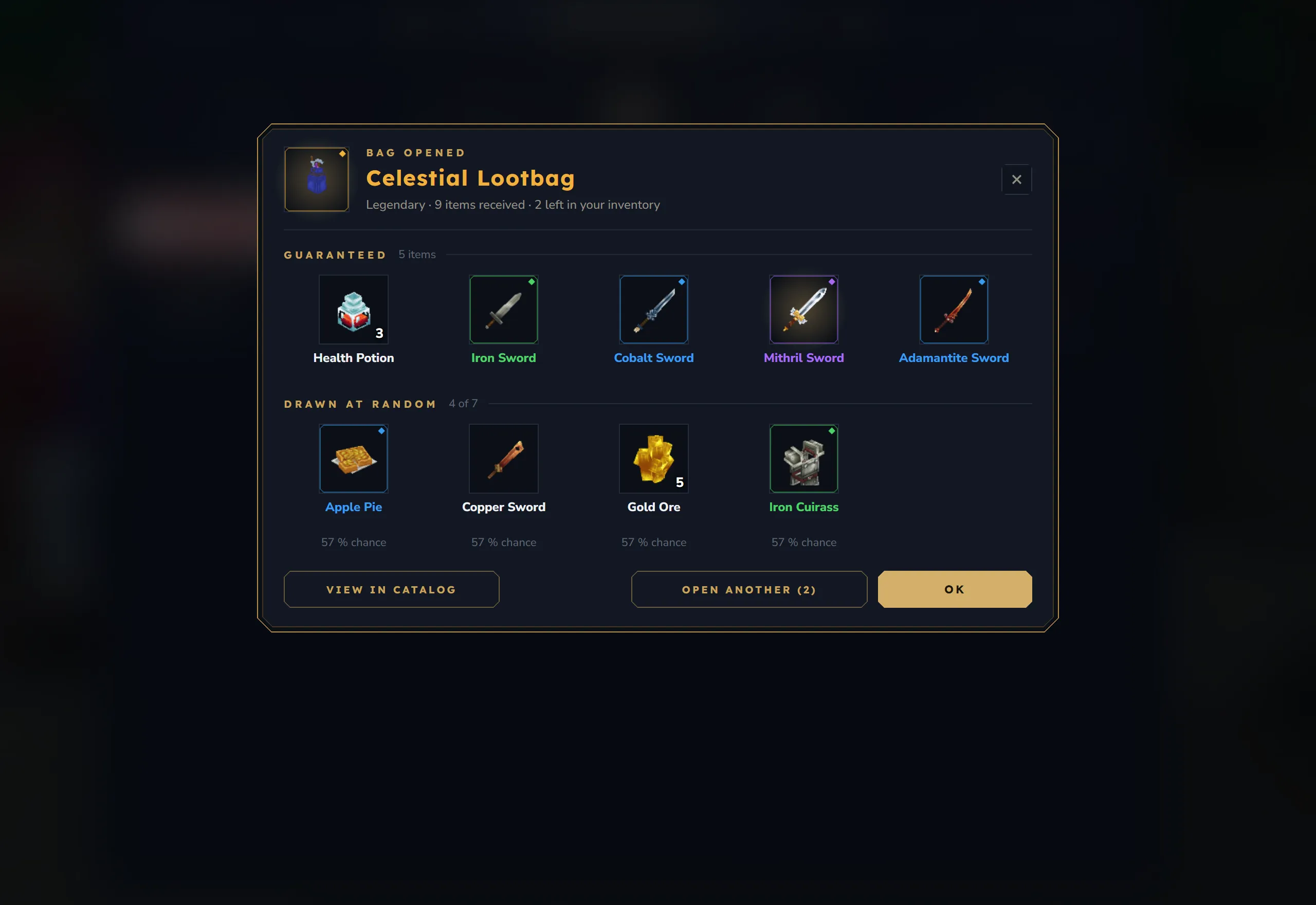
- A catalog of every bag style and tier, and a new opening window with the guaranteed items and every random draw.
- A rebuilt admin panel for bags and drop tables.
New features
- The catalog shows the chance of every item and where each bag drops.
- History and latest finds: your own record per tier and the best items opened on the server.
- Uncommon Easter bags can be given and opened; older Easter bags keep working.
/lbadmin givehands out bags only, and anything that does not fit drops at the player’s feet.
Player Shops 2.0
Section titled “Player Shops 2.0”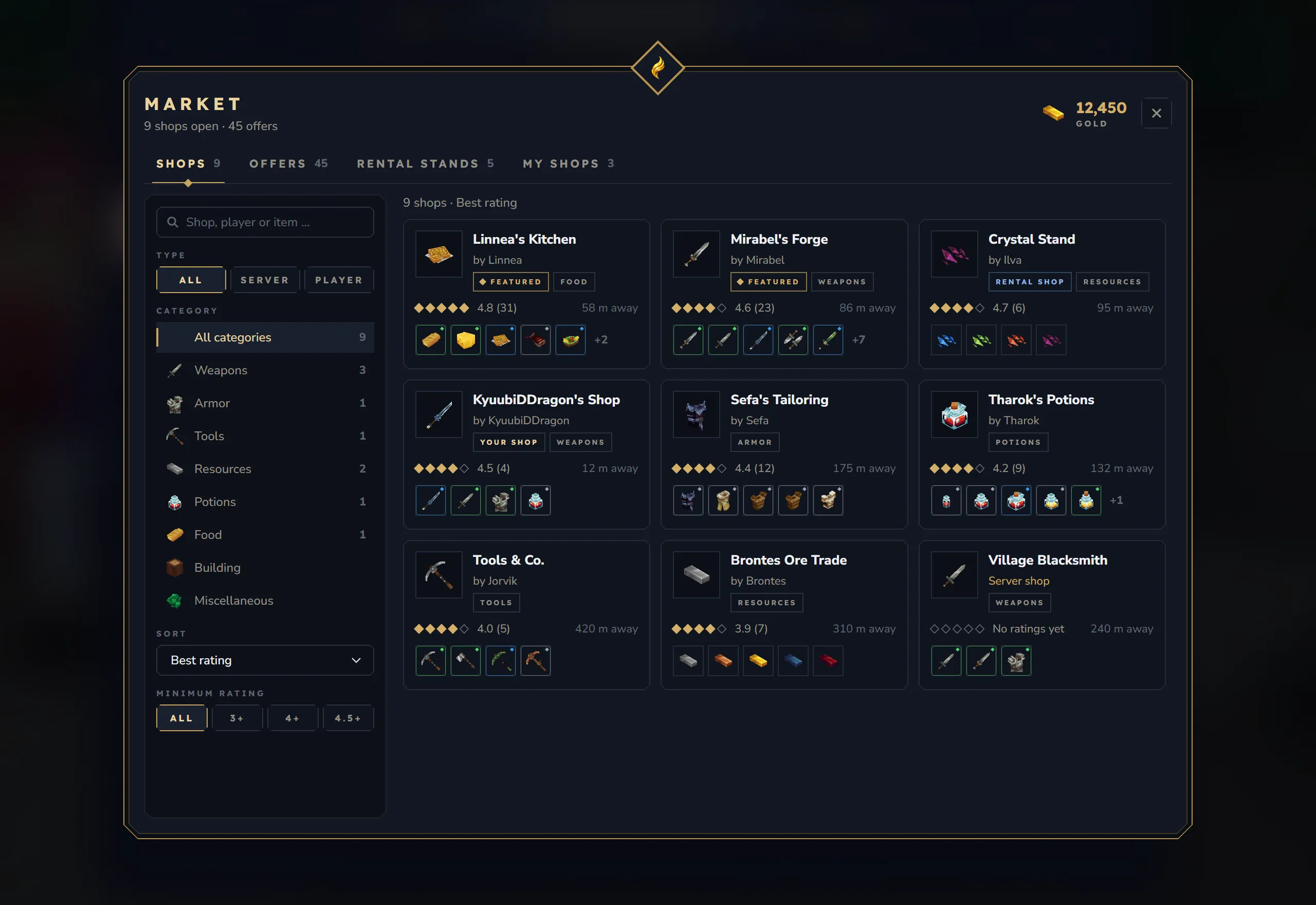
Design
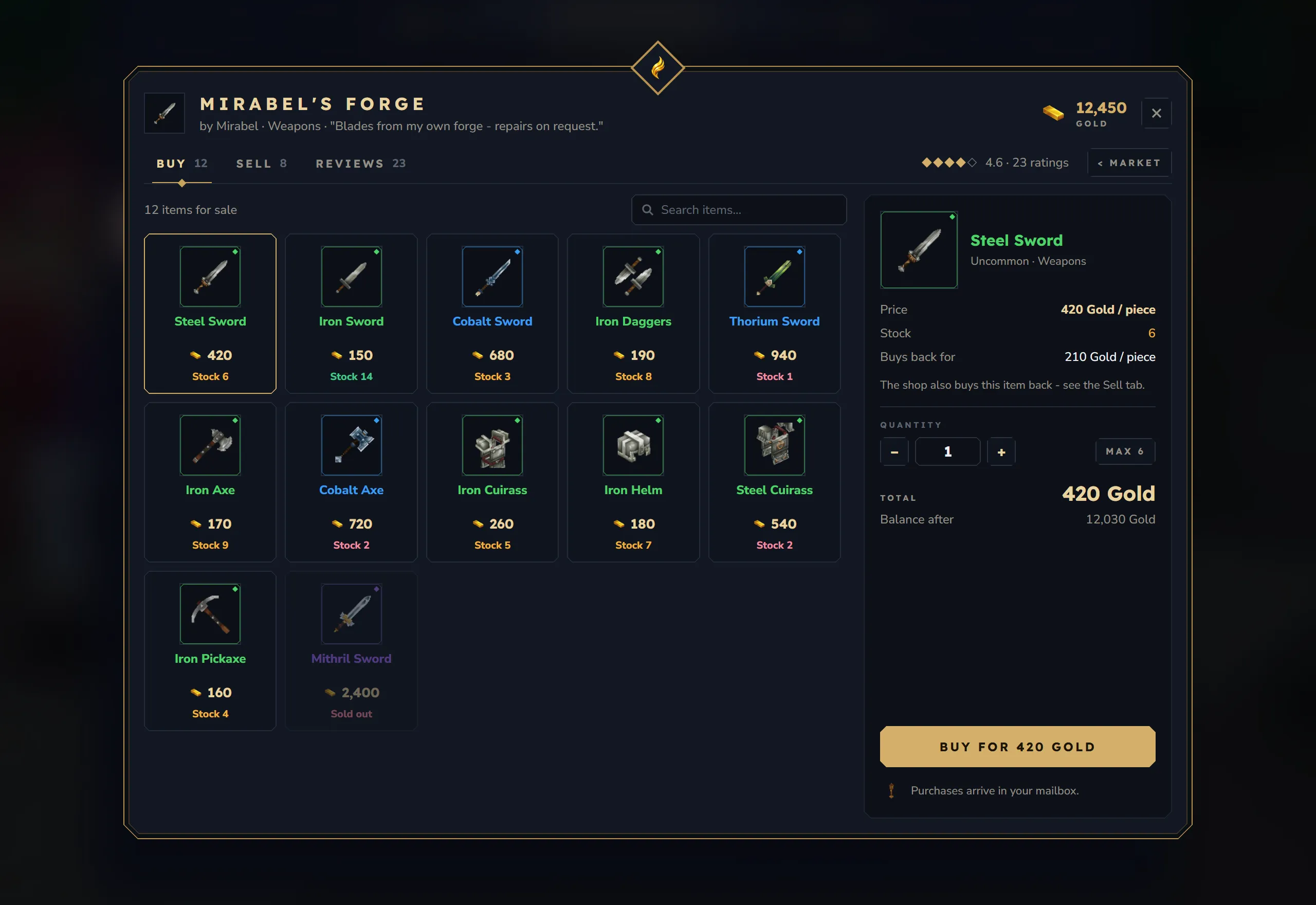
- A new market, shop window, shop editor, mailbox and license dialog, all in one look.
New features
- An offers search across every shop, cheapest first, and reviews with ratings and comments.
- Rental stands with auctions or fixed prices; rented shops always appear in the stand’s own world.
- A mailbox keeps purchases, earnings and returned stock until you claim them.
- Shop transfers check the receiver’s shop limit, and server owners decide whether rental stands count toward that limit.
Graveyard 2.0
Section titled “Graveyard 2.0”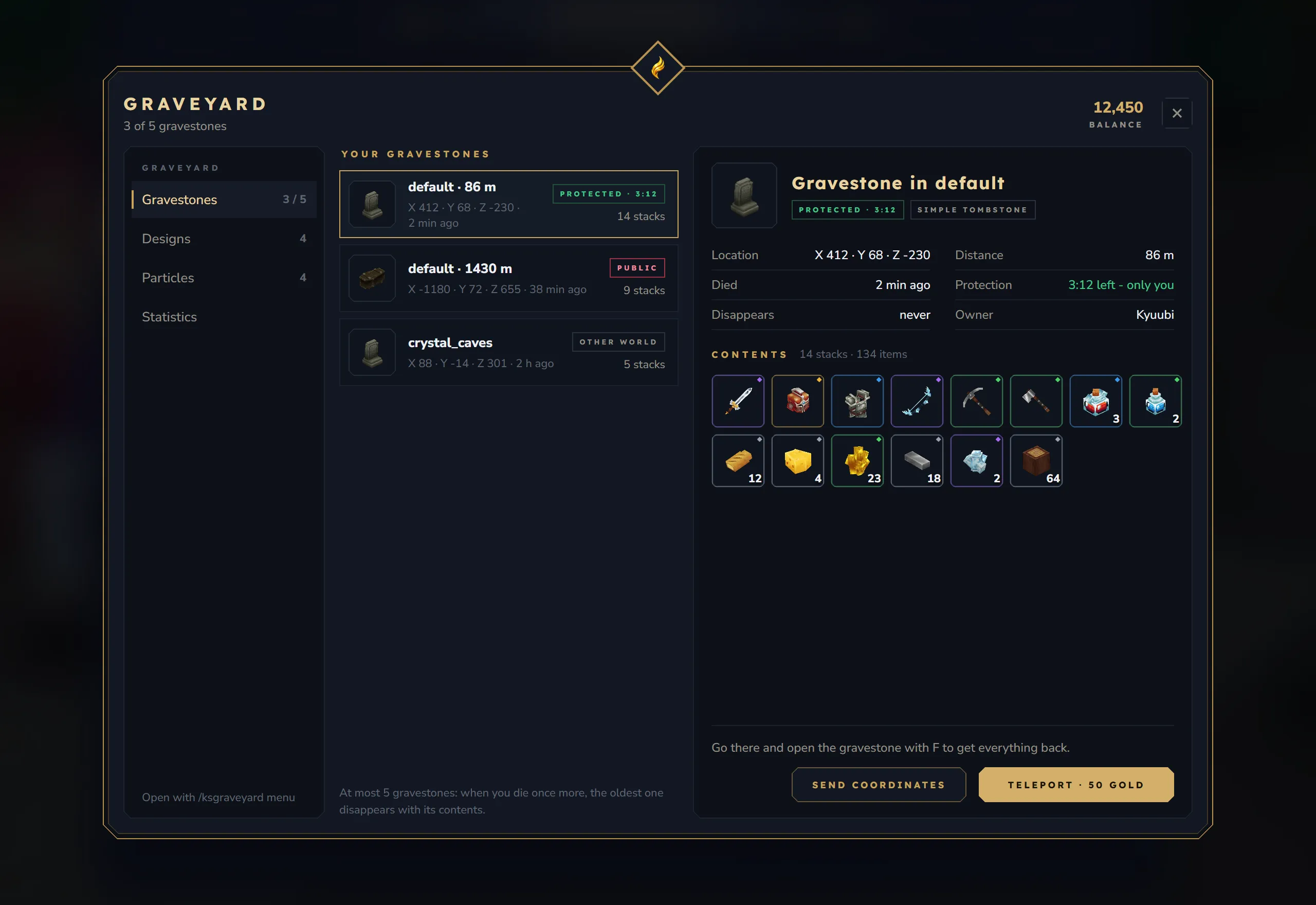
Design
- A new menu with your gravestones and their full contents, designs, particles and your statistics.
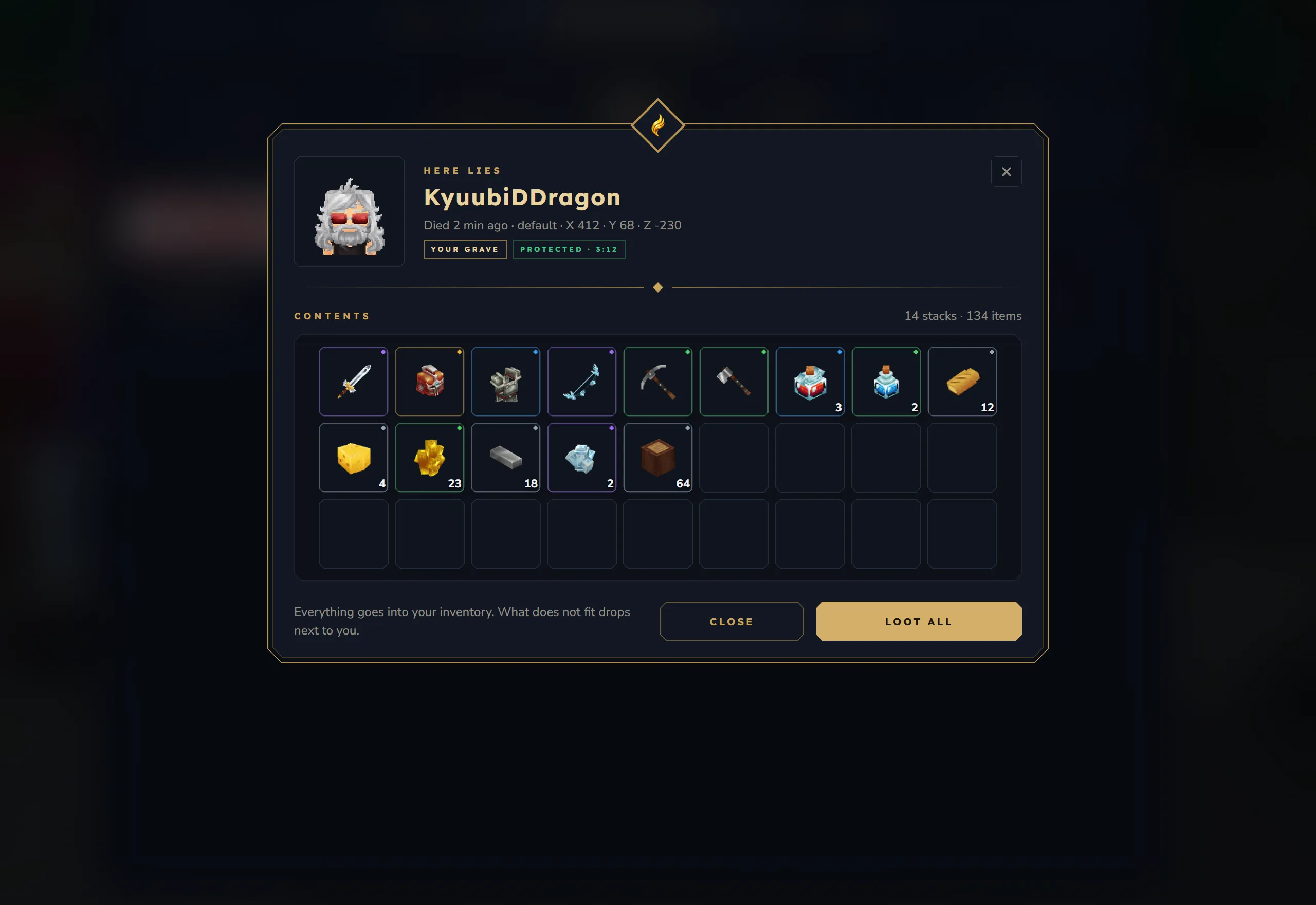
- A new grave window with the owner’s head, the contents with rarity rings and item tooltips, and a memorial view while someone else’s grave is still protected. The old stone look is still available as an option.
New features
- Premium designs and particles can be bought with the server economy.
- An optional teleport takes you to your gravestone.
- Item data survives death: enchantments, pet eggs and other item data stay intact.
- Only one player at a time can open a grave, and the statistics now count deaths, lost and recovered items correctly.
Coming next: the Questbook
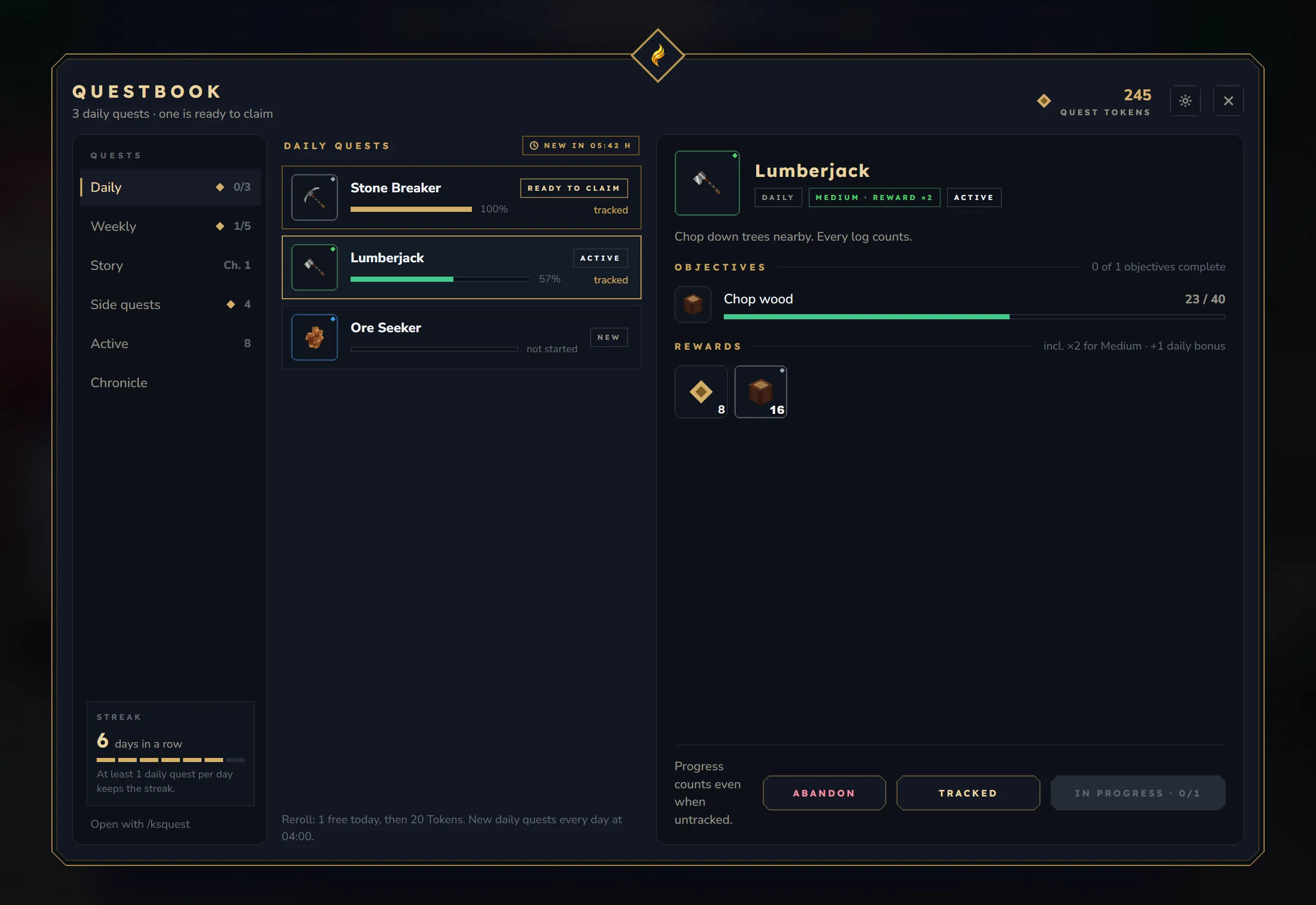
Section titled “Coming next: the Questbook”The Quest System is next. These are design previews of the planned windows; the values are examples and details can still change.
Design
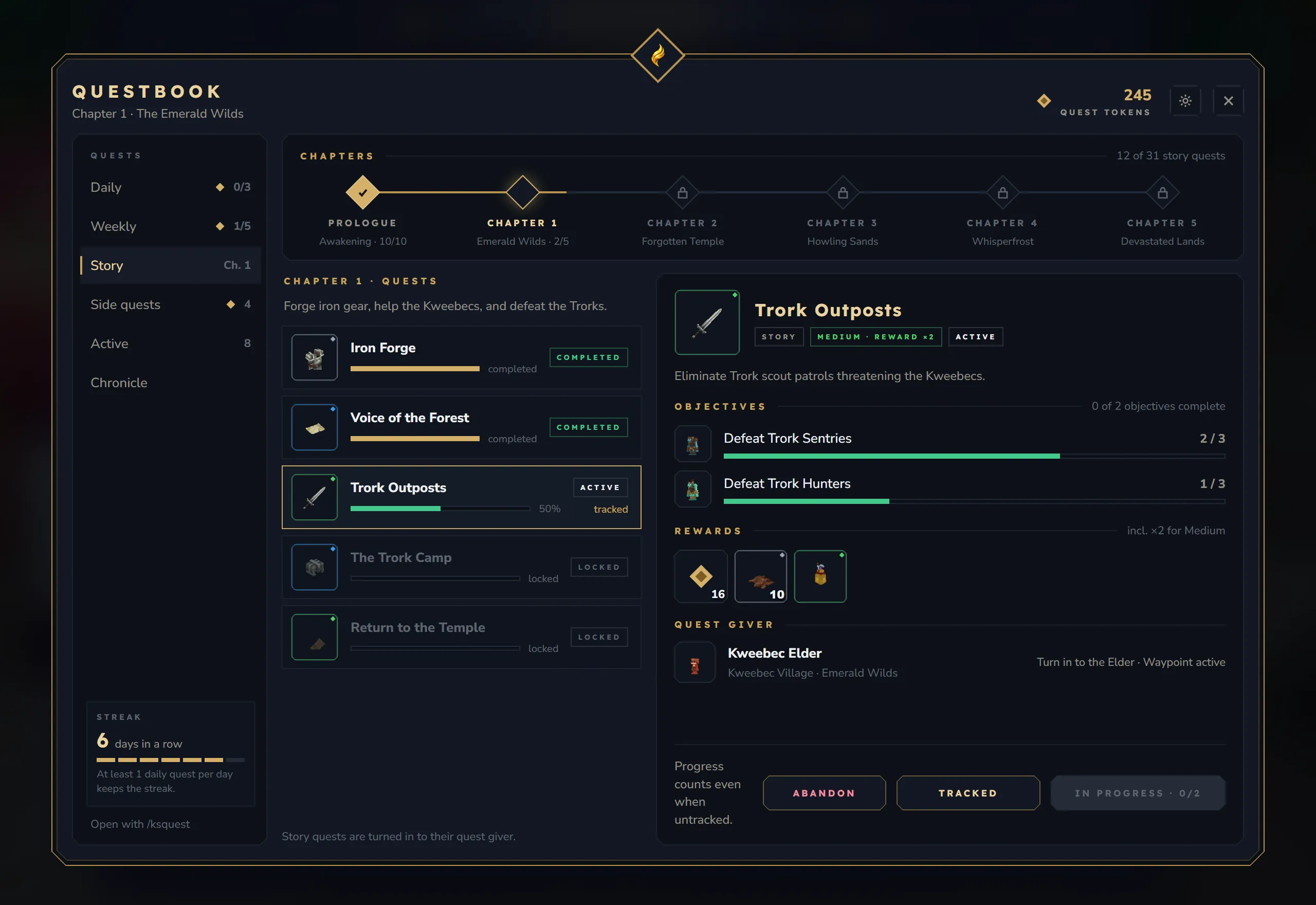
- One book with tabs for daily, weekly, story and side quests, your active quests and a chronicle of everything you have finished.
- A detail view for every quest: each objective with its own progress bar, the rewards as items, and the quest giver with their location.
- The story as a chapter map: finished chapters light up, locked ones show what unlocks them.
New features
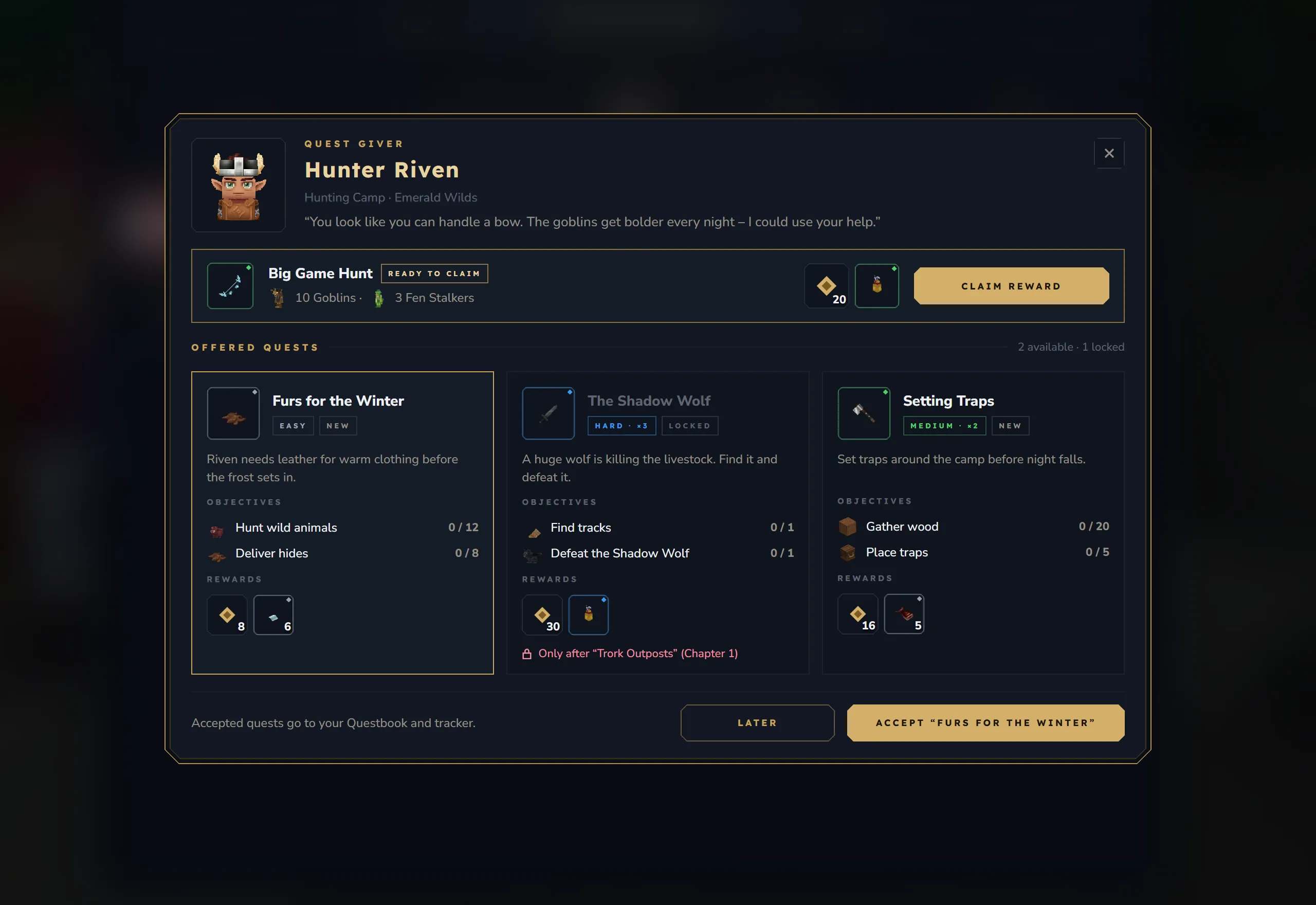
- Quest givers show their offers as cards with objectives and rewards before you accept, and items are only handed over after you confirm.
- A reset countdown, a confirmation before you abandon a quest, and a reroll that shows its price first.
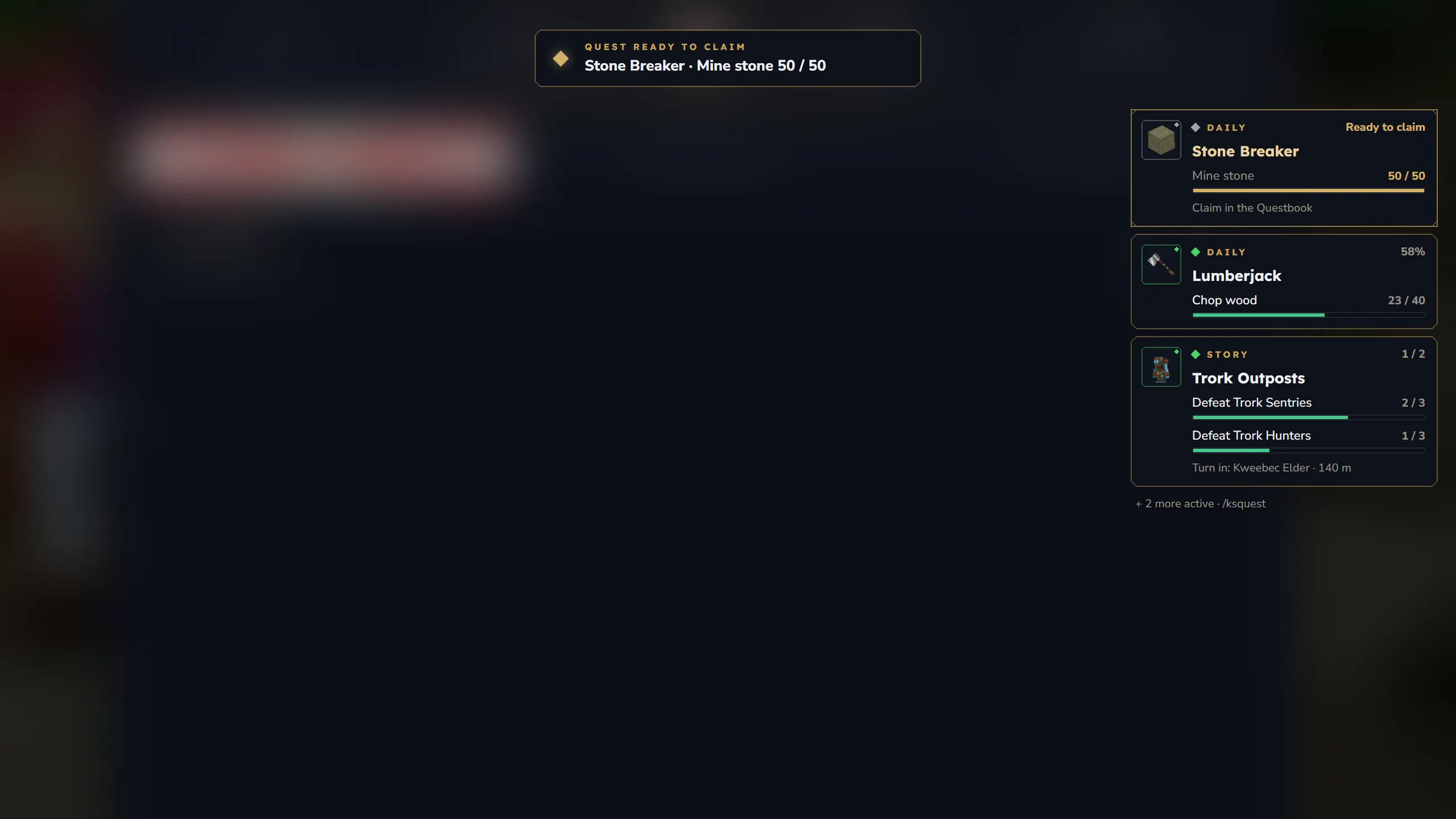
- A new tracker HUD in the same style as the pet HUD.
More mods will follow in the next parts of this update. Feedback is welcome on Discord.