
Player UI
The Whisperstone is one window on the right side of the screen, plus cards at the lower right while it is closed. Everything appears in the player’s own language.
Opening the stone
Section titled “Opening the stone”- Hold the Whisperstone and right-click it.
- Type
/kswhisper.
Where the stone opens depends on what is going on:
| Situation | First screen |
|---|---|
| A call is ringing or running | The call screen |
| A message hint is on the screen | The newest conversation with unread messages |
| A companion hint is on the screen | Find companions if requests are waiting, otherwise Companions |
| A hint about a missed or ended call is on the screen | Companions, to call back |
| A notice from another mod is on the screen | Raven |
| Anything else | The start screen |
The frame
Section titled “The frame”Every screen has the same frame:
- Title and line below it. The name of the screen and a short line, for example
Talking to Aldric. - Status line. After an action a short line appears above the bottom bar, for example
Request sent.or an error in red. It goes away after 6 seconds. - Bottom bar. ‹ goes one screen back, the diamond goes to the start screen, × closes the stone.
Lists in the stone show the first letter of a name instead of a head.
Start screen
Section titled “Start screen”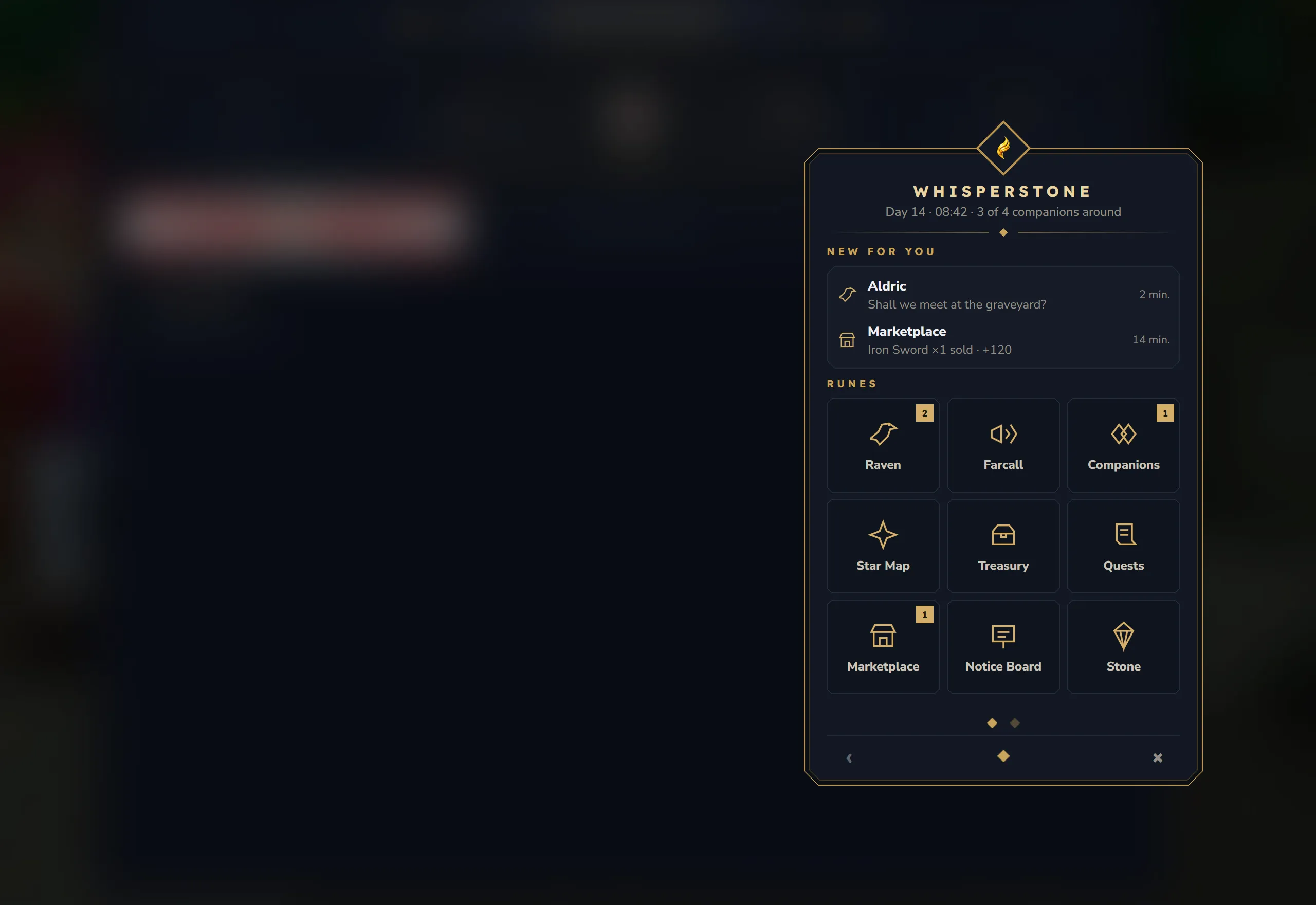
The line under Whisperstone shows the day and time of the world and how many companions are online, for example Day 14 · 08:42 · 3 of 4 companions around.
- New for you shows up to two of the newest unread messages and notices. A message opens its conversation, a notice opens the Raven. The block only appears when there is something unread.
- Runes is a grid of three by three tiles. A number on a tile counts what is unread: messages and notices on Raven, waiting requests on Companions, and unread notices from that mod on a mod’s rune.
- More runes is the second page, with the line
Every mod can add its own runes here.The dots below the grid switch pages. They only appear when there is a second page.
The built-in runes open screens of the stone. The runes of other mods open that mod’s window instead of the stone. See the rune list.
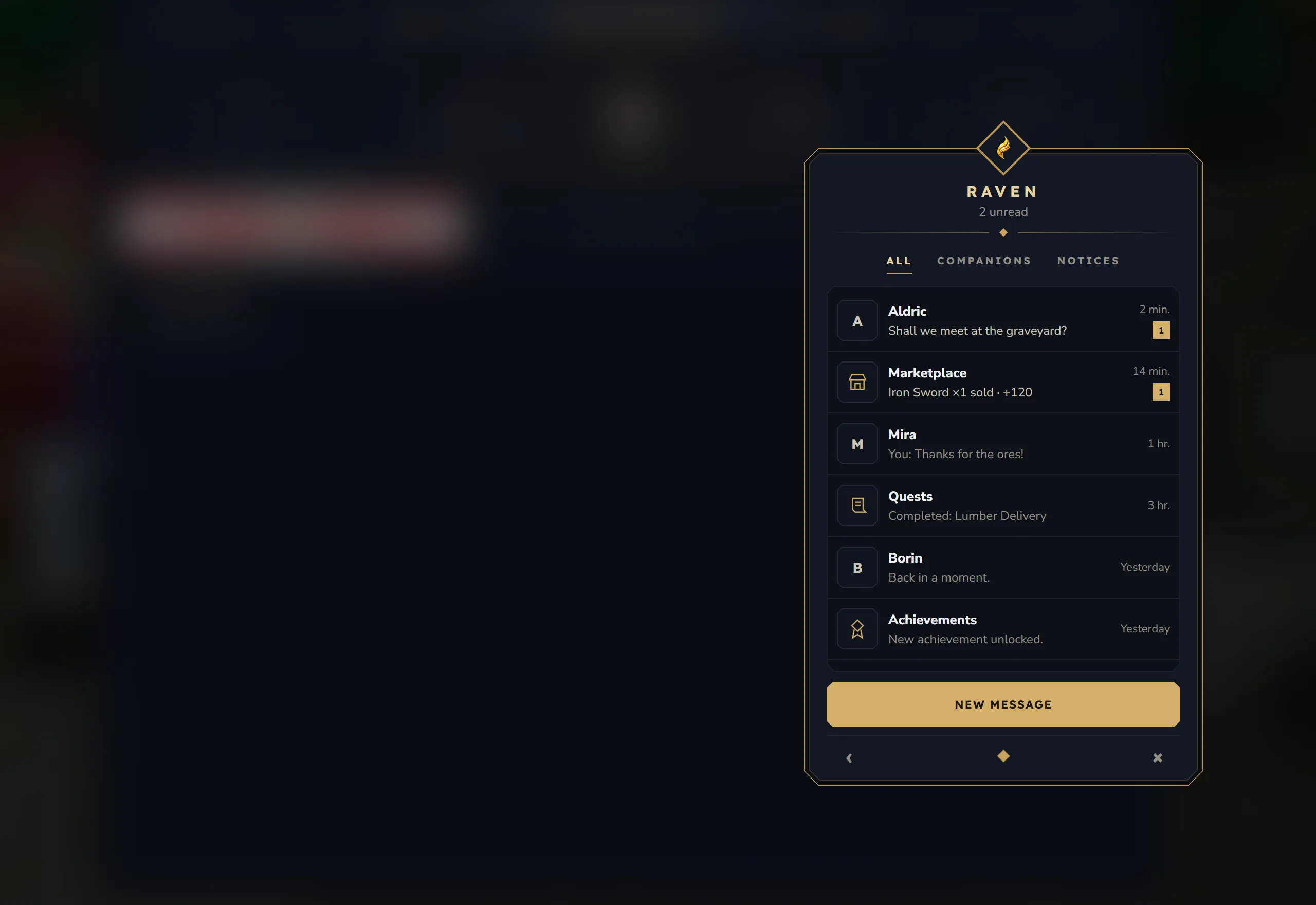
The Raven lists conversations and notices together, newest first. The line under the title counts everything unread, for example 3 unread.
- The filters are All, Companions and Notices.
- A conversation shows the companion’s first letter, the last message (
You: …for your own,Shared a positionfor a position), the time and a number for unread messages. - A notice shows the symbol of the mod that sent it, its title and text. Clicking a notice opens that mod’s rune, if you have it.
- Notices count as read once you have seen them in the list (All or Notices) and leave the screen.
- New message opens your companions, where you pick who to write to.
When the list is empty, it says Nothing here yet. Write to a companion!, No conversations yet. or No notices right now., depending on the filter.
Conversation
Section titled “Conversation”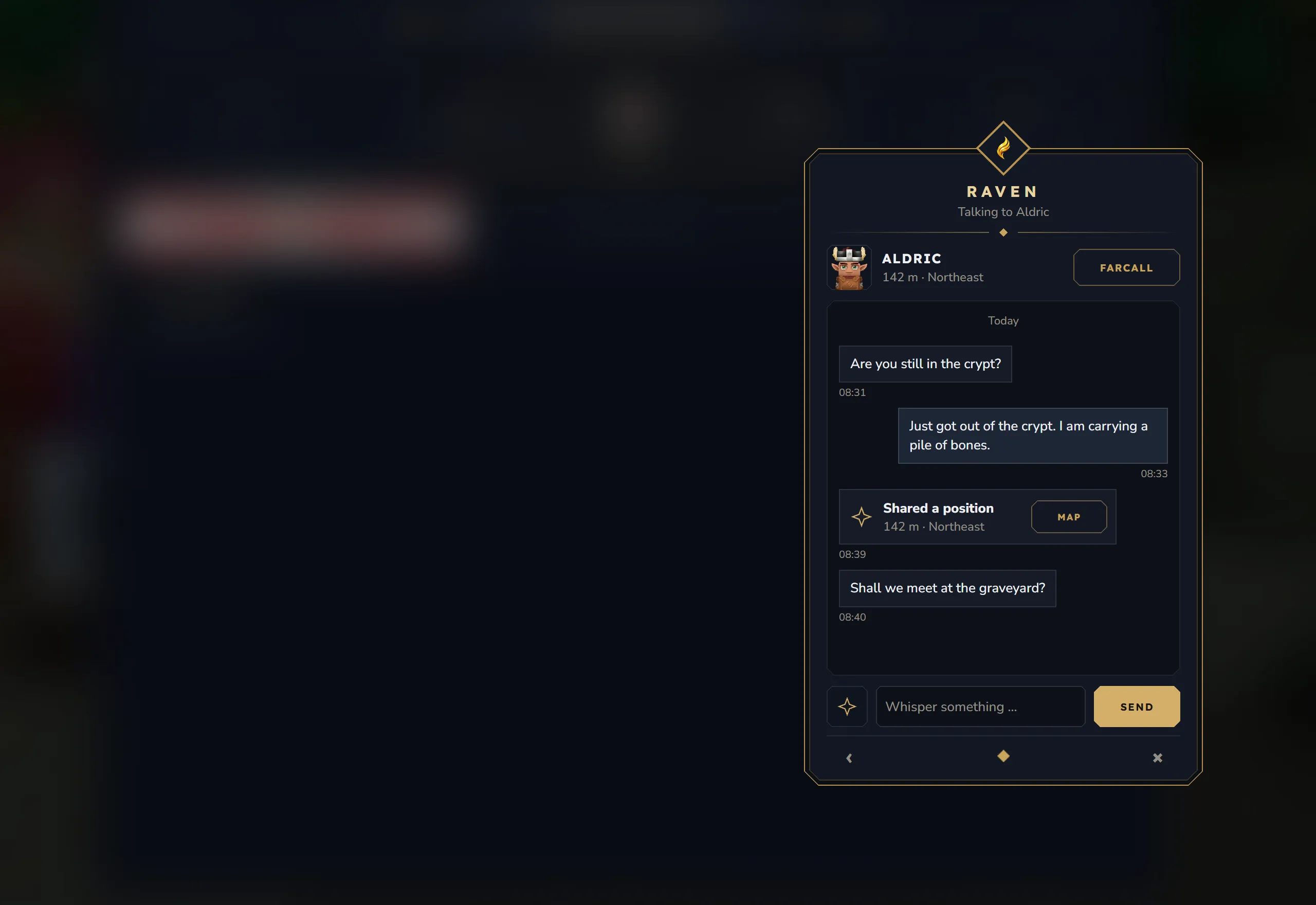
The head shows the companion’s name and where they are:
| Line | Meaning |
|---|---|
In this world · 142 m · Northeast | In your world, with distance and direction. The first part is left out when the line is too long. |
Here in this world | In your world, but they switched off Visible on the map |
In another world | Online in another world |
Away · 2 hr. ago | Offline, with the time they were last seen |
No longer a companion | You are no longer companions. The old messages stay readable. |
With KyuubiSoft Core installed, the head shows the player’s real head once it has loaded.
- Farcall at the top calls this companion. It is inactive while they are offline and hidden without voice.
- The messages are grouped by day (
Today,Yesterdayor a date). Yours are on the right, the companion’s on the left, each with the time. The last 60 messages are shown. - A shared position appears as a card Shared a position with distance and direction (or
Another world) and a Map button that opens the Star Map. - At the bottom: the button with the star symbol shares your current position, the field Whisper something … takes up to 200 characters, and Send or Enter sends.
Opening a conversation marks its messages as read.
Companions
Section titled “Companions”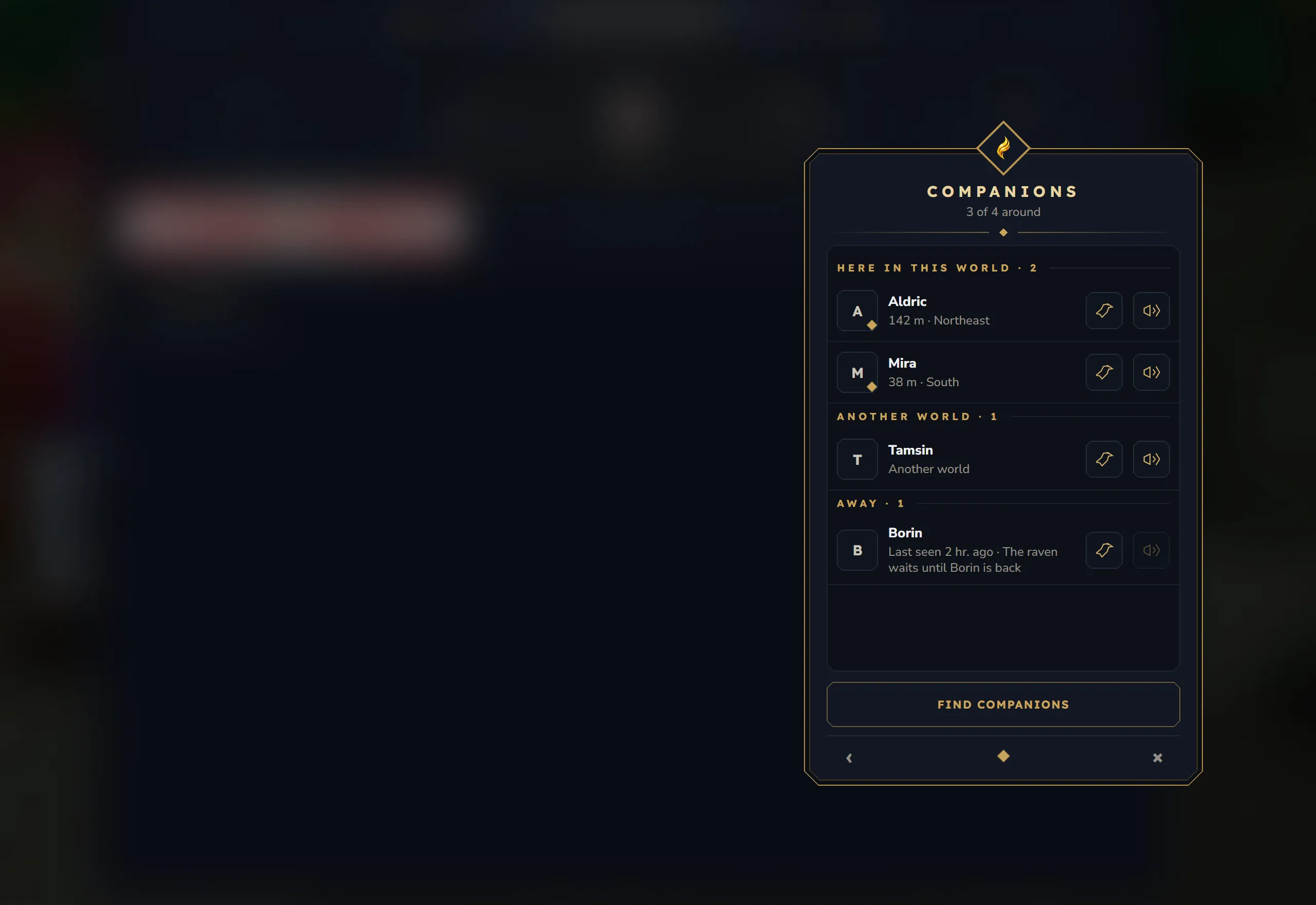
The line under the title shows how many companions are online, for example 3 of 4 around. The list has up to three groups:
| Group | Line under each name |
|---|---|
Here in this world · <count> | Distance and direction, such as 142 m · Northeast, or Here in this world when they hide their position |
Another world · <count> | Another world |
Away · <count> | Last seen 2 hr. ago · The raven waits until <name> is back |
Each row has a raven button to write and a call button. The call button is inactive for companions who are away and hidden without voice. Click a row to show Remove and Block for that companion. Both act right away, without a question.
- Remove ends the companionship for both sides and any running call between you.
- Block also ends any open request in both directions and removes the positions you shared with each other. The conversation is hidden for you and comes back if you unblock the player later.
Find companions at the bottom opens the search. With no companions yet, the list says No companions yet. Find one and send a request!
Find companions
Section titled “Find companions”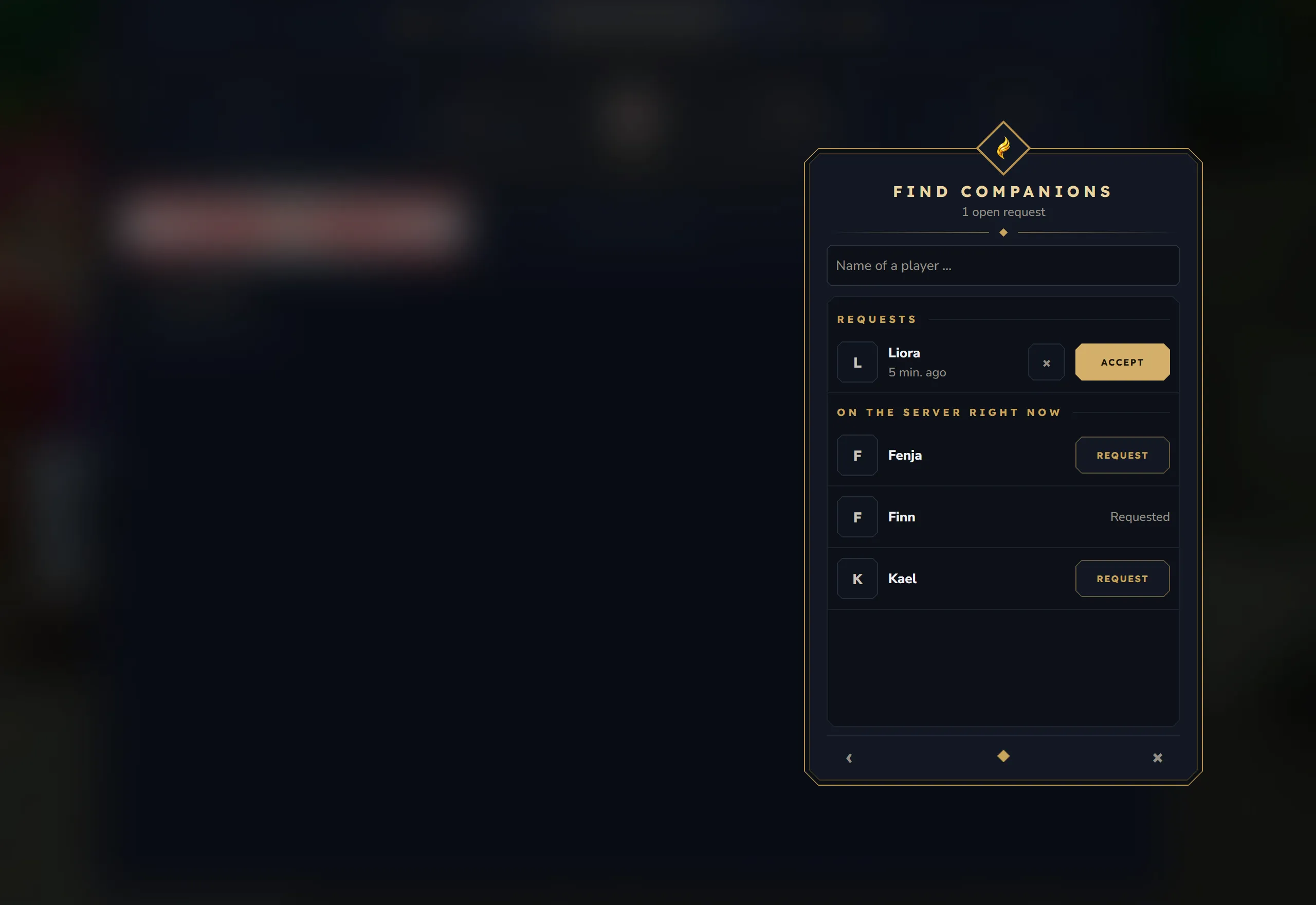
The line under the title counts the open requests: No open requests, 1 open request or 3 open requests.
- Requests lists who asked you, with when they asked. Accept makes you companions, × declines.
- On the server right now lists the players who are online, filtered by the start of the name you type into Name of a player …. Up to 40 players are shown.
- Request sends a request. Players you already asked show
Requested, companions showCompanion.
You do not appear in the search of a player you blocked or who blocked you. If a player has already asked you, your request makes you companions at once.
Star Map
Section titled “Star Map”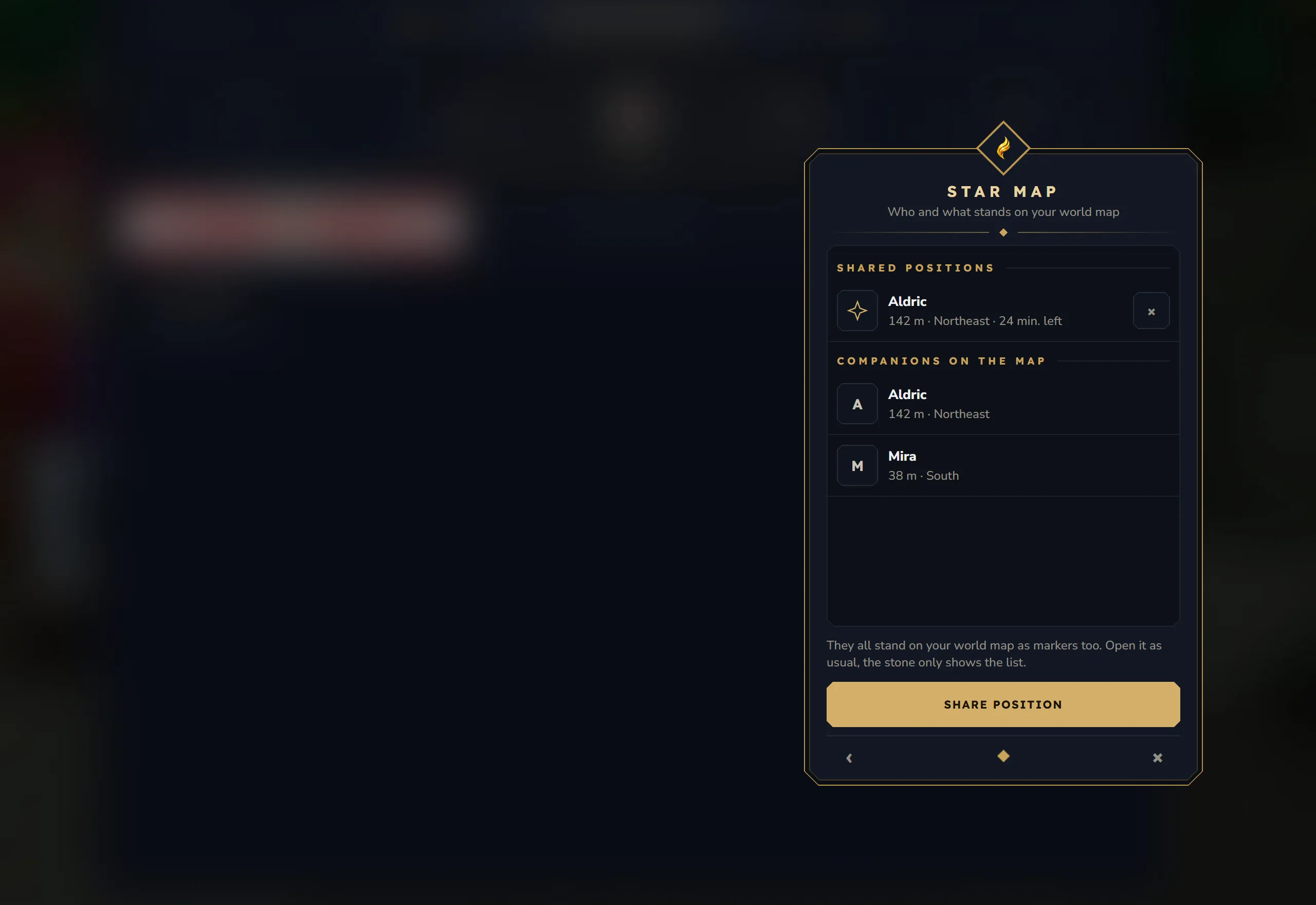
The Star Map shows who and what stands on your world map. The map itself is the normal world map; the stone only shows the list.
- Shared positions lists the positions companions shared with you: who, how far and in which direction, and the time left (
24 min. left, orgone soonin the last minute). × removes one. A position lasts 30 minutes. - Companions on the map lists the companions in your world who show their position.
- Share position opens your companions. Share your position from the conversation with the one you pick.
On the world map, shared positions in your world appear as a coordinate marker with the companion’s name. Companions in your world appear as player markers, as long as you and they both have Visible on the map switched on.
Stone settings
Section titled “Stone settings”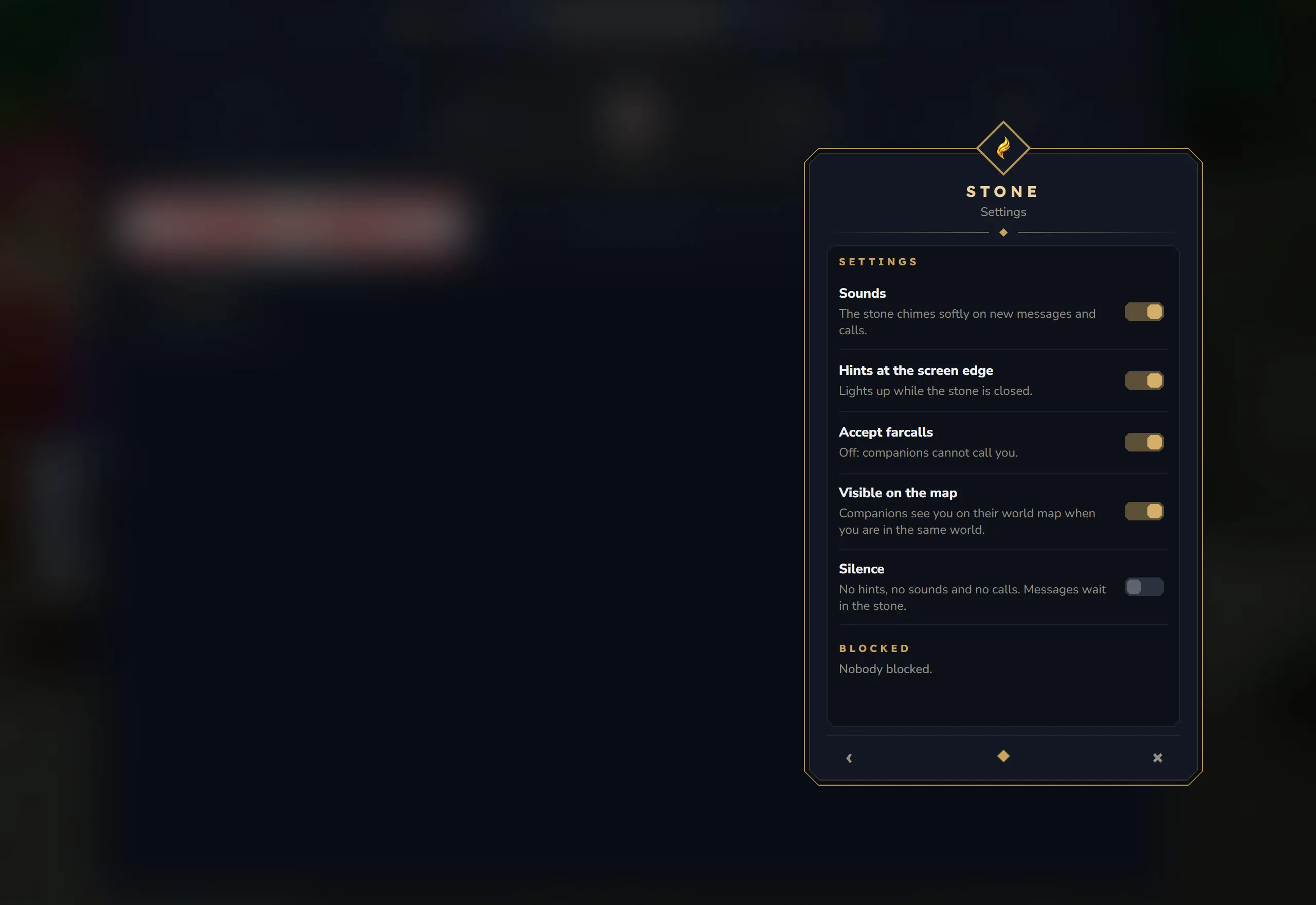
Settings has five switches:
| Switch | Default | Text in the window |
|---|---|---|
| Sounds | on | The stone chimes softly on new messages and calls. |
| Hints at the screen edge | on | Lights up while the stone is closed. |
| Accept farcalls | on | Off: companions cannot call you. |
| Visible on the map | on | Companions see you on their world map when you are in the same world. |
| Silence | off | No hints, no sounds and no calls. Messages wait in the stone. |
- Accept farcalls only appears when you can make calls.
- Visible on the map off also hides your distance and direction in your companions’ lists. They see
Here in this worldinstead. - With Silence on or Accept farcalls off, callers see
<name> is not taking calls right now.
Blocked lists the players you blocked. Unblock lifts the block; it does not make you companions again.
Farcall
Section titled “Farcall”Ringing
Section titled “Ringing”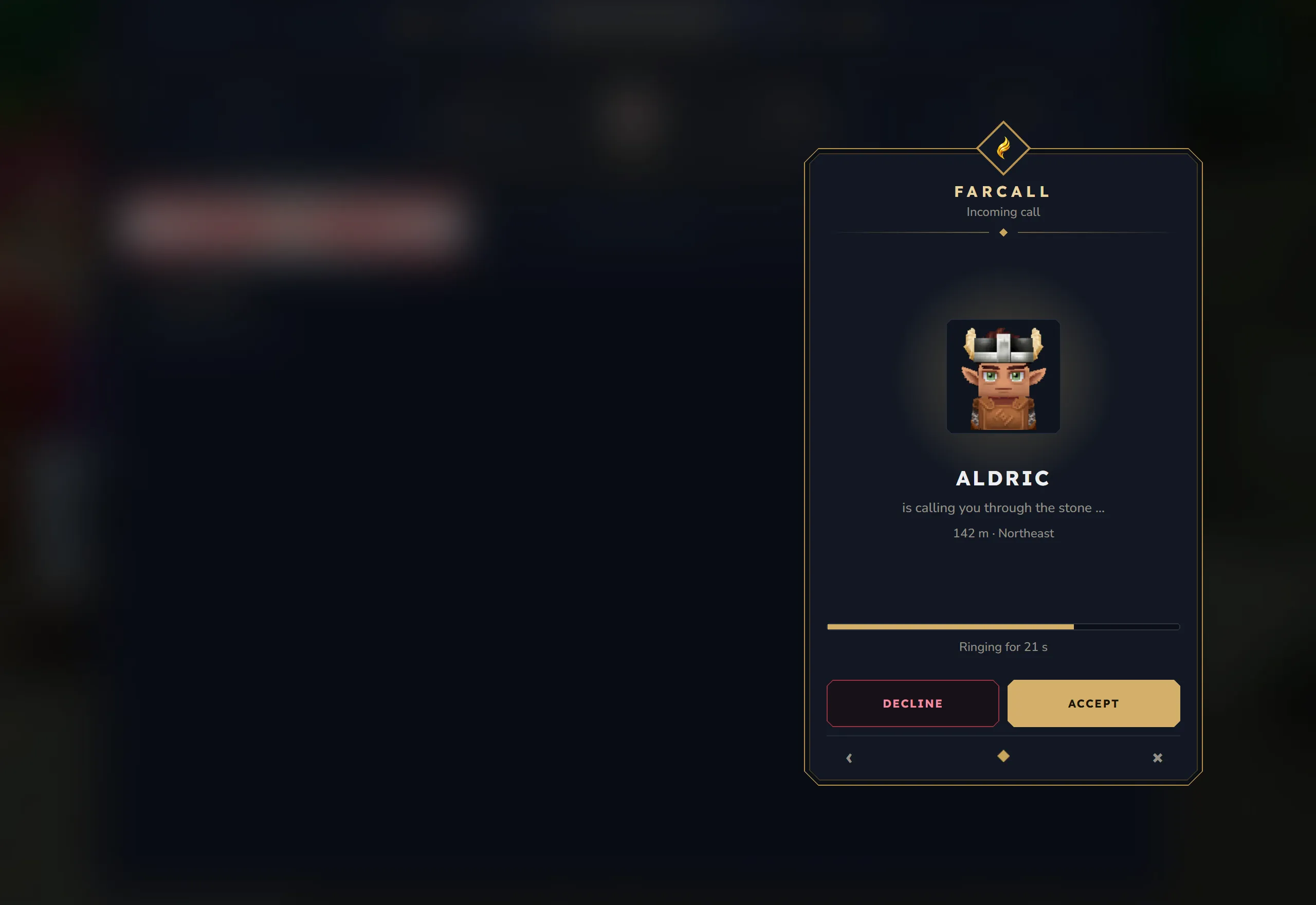
- Incoming call: the caller’s name,
is calling you through the stone …, where they are, and a bar withRinging for 24 s. Choose Accept or Decline. - Outgoing call: the same screen with
is being called …and only Hang up.
The player who is being called also hears a ring every 3 seconds and gets a chat line: <name> is calling you through the Whisperstone. A call rings for 30 seconds. After that the caller gets <name> does not answer. and the other player Missed call from <name>. If the other player declines, the caller gets <name> declined the call. If the caller hangs up first, the other player gets Missed call from <name>.
Running call
Section titled “Running call”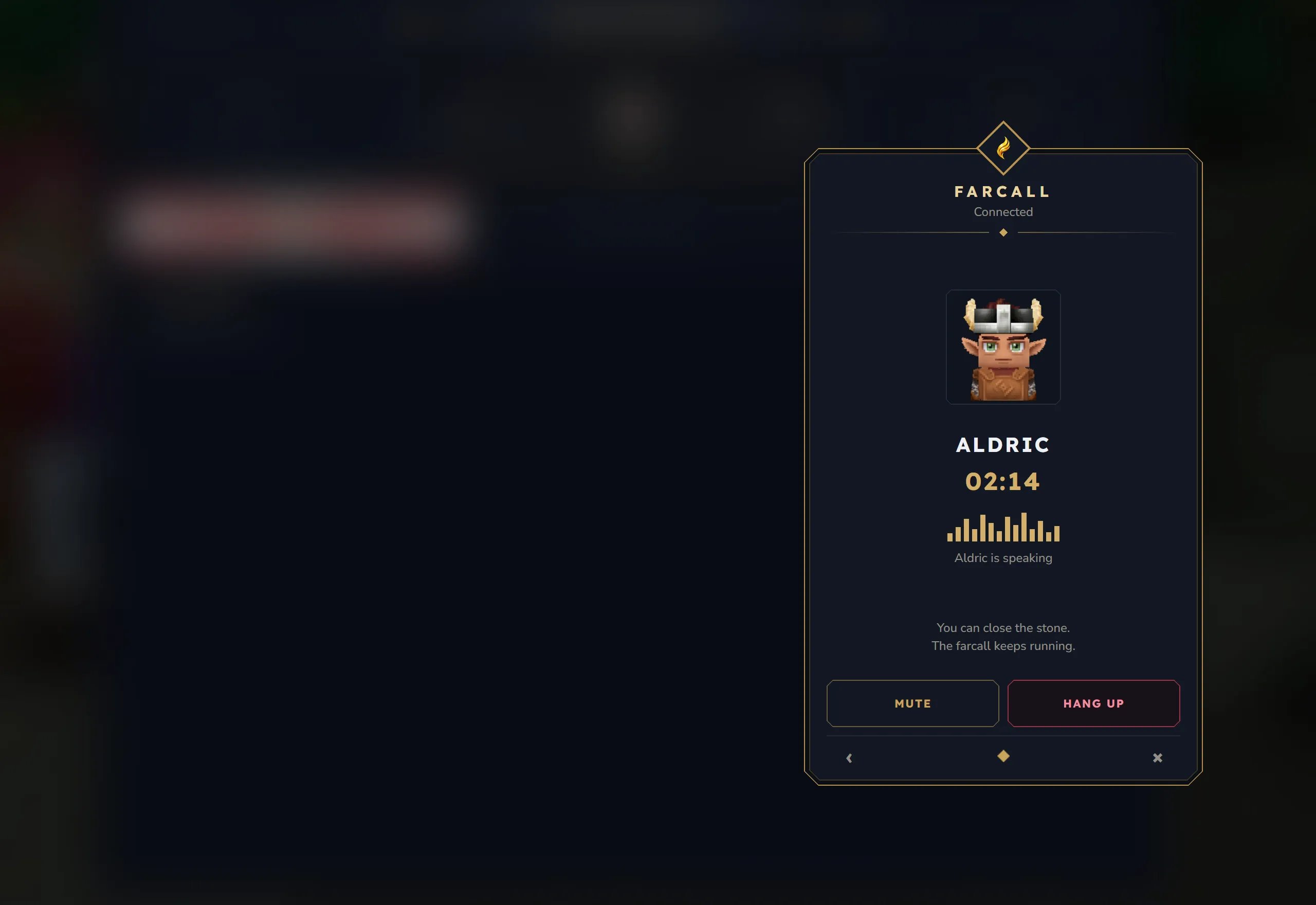
The screen shows the companion, the talk time (02:14) and a line:
| Line | Meaning |
|---|---|
Connected | The call is running and your companion is quiet. |
<name> is speaking | Your companion is talking. |
Your microphone is muted | Nobody hears you. |
- Mute switches your microphone off for the call. The button then reads Muted; click it again to talk.
- Hang up ends the call for both.
You can close the stone. The farcall keeps running.
During a call only your companion hears you, in any world. The people around you do not hear you, but you still hear them. When you are dead, nobody hears you in the call.
A call ends when one side hangs up, leaves the server, or removes or blocks the other. The other player gets a hint such as <name> hung up. or <name> left, the call has ended. An open stone shows The farcall has ended.
Cards at the screen edge
Section titled “Cards at the screen edge”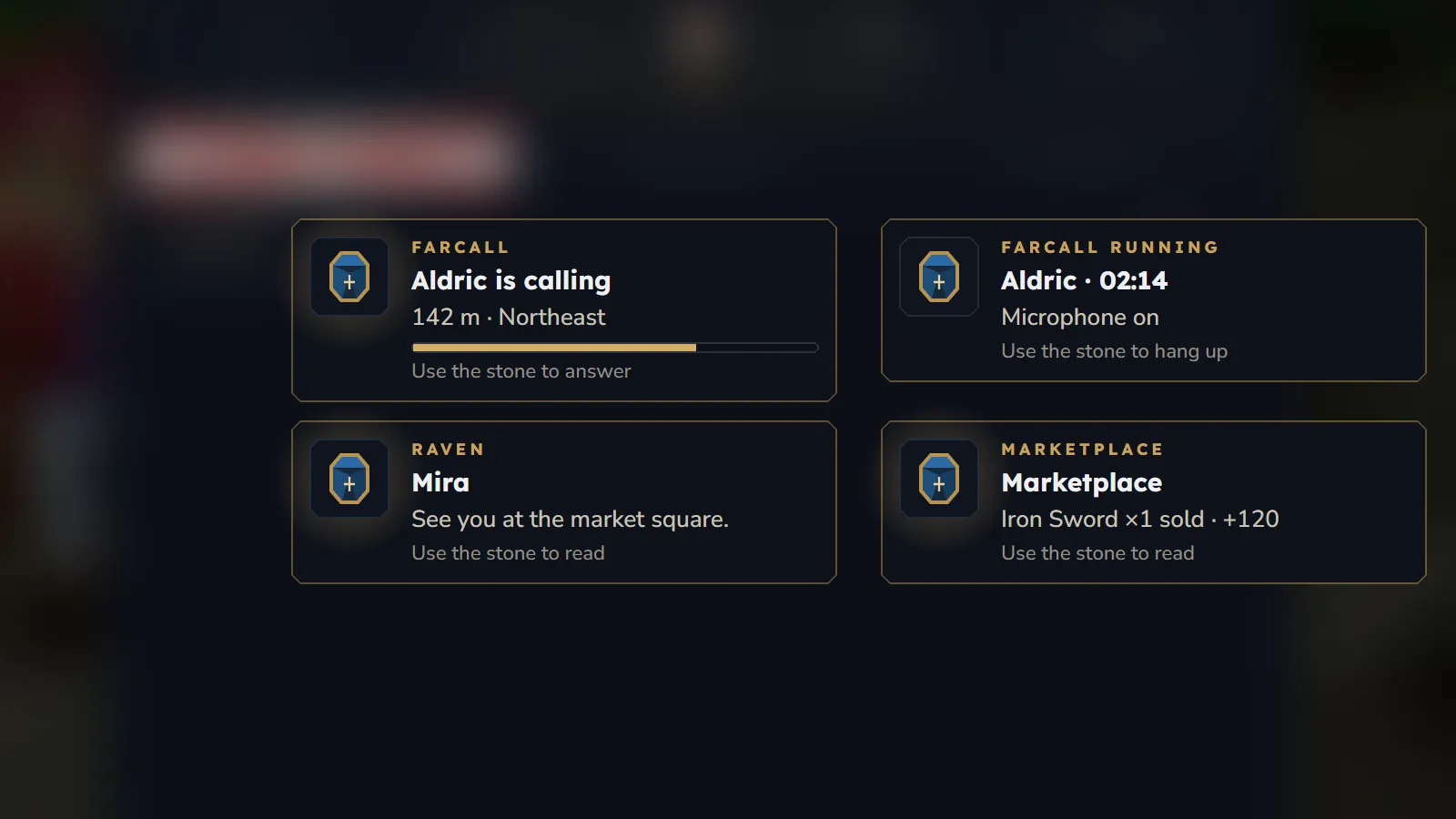
While the stone is closed, cards appear at the lower right of the screen, just above the ability bar:
| Card | What it shows |
|---|---|
| Ringing | <name> is calling with where they are, or Calling <name> with the seconds left, a ring bar and Use the stone to answer or Use the stone to hang up |
| Running farcall | <name> · 02:14, Microphone on or Microphone muted, and Use the stone to hang up |
| Hint | Where it comes from (Raven, Companions, Farcall or the name of a mod’s rune), a title, a line of text and Use the stone to read (or Use the stone to call back after a missed or ended call) |
- Each hint stays for 8 seconds. More hints wait in line.
- “Use the stone” means: right-click the Whisperstone. It opens on the matching screen, see Opening the stone.
- On login the stone sums up what waited for you, for example
3 new messages waited for you.,2 new notices waited for you.and2 open companion requests. - While any window is open, the game hides the cards. Hints wait until the window is closed. With KyuubiSoft Core installed, the cards also hide while the world map is open.
- Hints at the screen edge off or Silence on stops the hints. The ring and call cards stay.
Messages in the status line
Section titled “Messages in the status line”| Message | Why |
|---|---|
Request sent. | Your request is on its way. |
You are companions now. | A request was accepted. |
Request declined. | You declined a request. |
You are companions already. | |
This request is already open. | You asked this player before. |
Player not found. | The player is offline, or does not want requests from you. |
That is you. | You cannot ask yourself. |
That is not possible right now. | You blocked this player. Unblock them first. |
The list of companions is full. | Your list or theirs reached the limit (100 by default). |
Slowly, wait a moment before asking again. | More than 10 requests in a minute, or this player declined you less than a minute ago |
Write something first. | The message is empty. |
This message is too long. | More than the allowed characters |
Slowly, the raven cannot keep up. | More than 1 message per second or 20 per minute |
<name> is no longer your companion. | You can only write to companions. |
This message cannot be delivered. | You blocked this player. |
Position sent to <name>. | Your position was shared. |
Farcalls are not available on this server. | The server’s voice chat is off or missing. |
<name> is not your companion. | You can only call companions. |
<name> is not around. | The companion is offline. |
<name> is in a call right now. | One of you is already in a call. |
<name> is not taking calls right now. | They switched off Accept farcalls, are in Silence, or may not make calls. |
Slowly, wait a moment before calling again. | More than 6 calls in a minute, or this player declined your call less than 30 seconds ago |
<name> is no longer a companion. | You removed a companion. |
<name> is blocked. | You blocked a player. |
Block lifted. | You unblocked a player. |
This rune cannot be opened right now. | The rune’s command is not available on the server. |
You are not allowed to do that. | A permission is missing. |
That did not work. | Something went wrong, see the server log. |
The limits are the defaults from config.json. See Configuration.